By Edy Werder, a tech blogger with 20 years of experience in IT infrastructure
I run a FortiGate at the edge of my own homelab, in front of a Proxmox cluster and several VLANs. Before updating this guide, I asked the homelab community what they actually run in 2026. So this best homelab firewall guide is built on two things: my own hands-on testing, and what real homelabbers told me they trust.
I cover both below, with honest tradeoffs and picks for every budget.
Yes, you want a dedicated firewall at the edge of your homelab. Most homelabbers build their own with OPNsense or pfSense on a small mini PC. It is cheap and gives full control. The simpler path is a brand-name appliance like a FortiGate or a UniFi gateway. You trade some flexibility for stability. Go DIY if you like to tinker. Pick an appliance if you want less hands-on work.
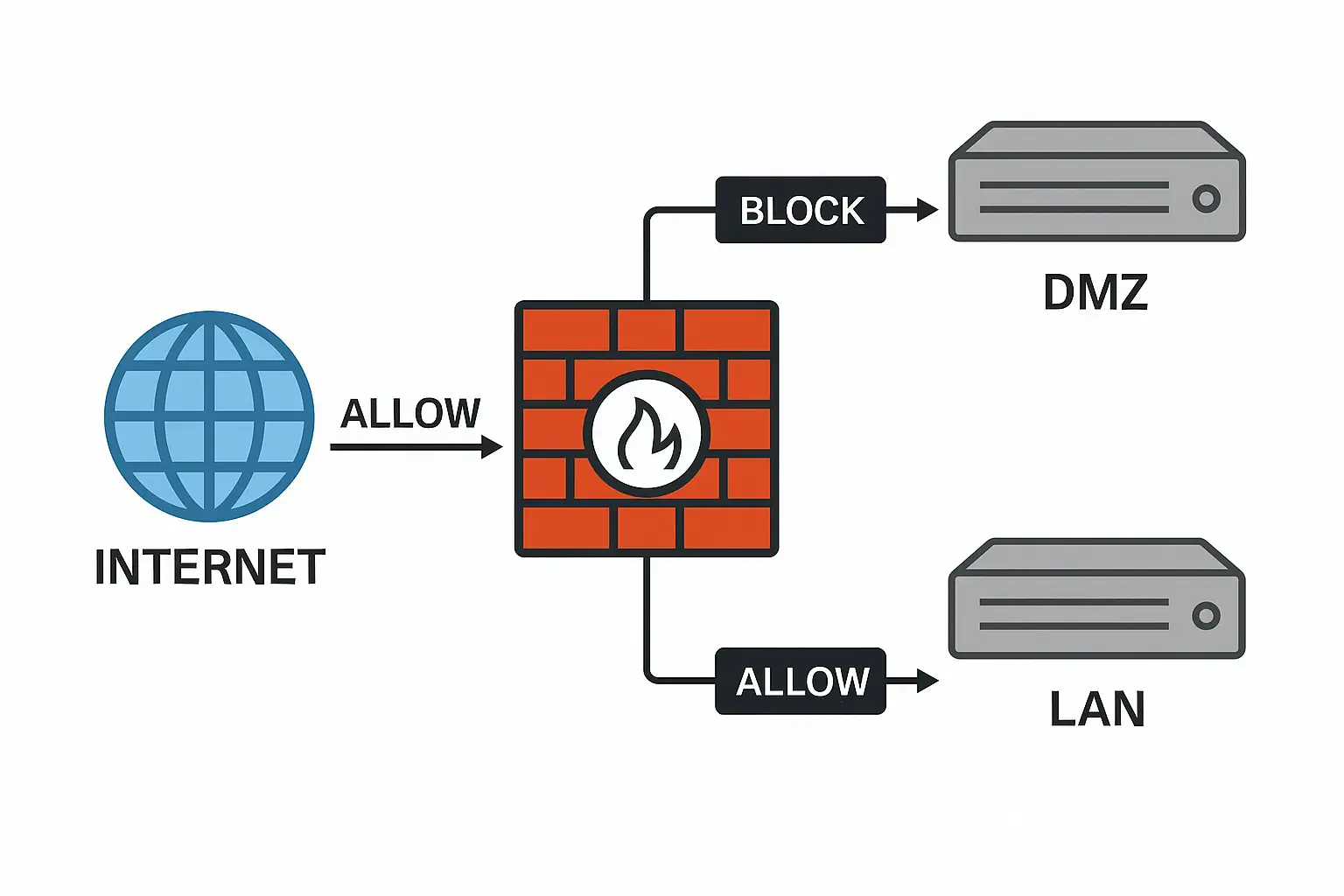
Yes. If your homelab touches the internet, you want a firewall between it and the rest of your network. A homelab firewall is the network device that sits at your edge and controls what traffic is allowed in and out. It enforces your rules, separates your VLANs, and keeps your lab gear off the open internet.
Your ISP home router has a basic firewall built in, and for a simple home network that can be enough. But a homelab is not a simple setup. You are running services, opening ports, testing virtual machines, and segmenting smart devices. A dedicated firewall gives you the control to do that safely, with proper VLAN separation, intrusion detection, and a VPN for remote access.
Here is the honest case for and against a dedicated firewall at the edge.
What you gain:
What it costs you:
A dedicated firewall improves your security, but it is not a magic wall. It is a control point, and it is also a single point in your path. That tradeoff is the reason the rest of this guide matters.
It depends on what you value more: control and cost, or stability and simplicity. Build your own with open-source software if you want the lowest cost, no subscriptions, and full control. Buy a known-brand appliance if you want it to just work and you would rather not rebuild your firewall during an internet outage.
That is the real split, and the homelab community is genuinely divided on it for good reasons.
This is what most homelabbers run. You install OPNsense or pfSense on a small machine and you get an enterprise-grade firewall for the price of the hardware. No license, no subscription, and you control every rule. The catch is that you own everything: the updates, the recovery, and the uptime. If the box fails, you are the support team, and you are doing the repair with no internet while you work.
You buy it, and it works out of the box. The vendor handles firmware and threat updates, the management interface is polished.. The tradeoffs are cost, sometimes a subscription for the security features, and less freedom to do exactly what you want. For many people, that is a fair trade, because the firewall is not what they want to spend their weekends fixing.
What to look for either way
Whatever you pick, the same features matter:
Get those right and either route gives you a solid homelab firewall. The rest of this guide covers the best options in each camp, starting with software.
Some features matter no matter which route you choose:
There is no need for every feature to start with. VLANs, VPN, and some basic rules are probably all you need. Add IDS/IPS and GeoIP blocking when the basics work.
The management interface is how you run the firewall day to day. This is where you set rules, watch traffic, and read logs.
DIY firewalls like OPNsense and pfSense use a web interface. It is powerful, but it takes time to learn. Appliances like UniFi or Firewalla give you a cleaner dashboard, and Firewalla even uses a phone app.
Lock down access to the management interface. Only allow it from trusted IPs on your own network. Never expose it to the internet. A firewall you can manage from anywhere is a firewall an attacker can reach, too.
This is where DIY and appliances split the most.
DIY firewalls are free. OPNsense and pfSense cost nothing, and updates stay free for as long as you run them. But you are the support team. You handle the firmware updates, the backups, and the recovery when something breaks.
Appliances often need a subscription. A FortiGate or a Zyxel gives you the hardware, but the IPS, web filtering, and threat updates need a paid license. In return you get vendor support and firmware updates handled for you.
Ask yourself one question. Do you want to maintain the firewall yourself, or pay someone to keep it current? That answer points you to one camp or the other.
Some appliances take this further and lock you in. Cisco Meraki is the example. The box sits at your edge, but you manage it from Cisco’s cloud, and every unit needs a paid yearly license. If the license lapses, the device stops passing traffic after a 30-day grace period. So you never really own it. I explain why I avoid this for a homelab in my pick at the end.
Your budget often makes the choice for you.
The cheapest way is DIY. A used mini PC runs around $ 150 to $ 200, and OPNsense or pfSense is free. Add a supported network card, and you have a capable firewall for very little.
Appliances cost more up front. A FortiGate 40F or a UniFi gateway costs a few hundred dollars, and some add a yearly subscription. You pay for stability and support.
There is no right budget. A small mini PC suits a smaller network. A brand appliance suits someone who wants less hands-on work. Spend where it saves you time or trouble, not on features you will never turn on.
| Firewall | Type | Best For | Ports & Speed | IDS/IPS | Subscription | Price |
|---|---|---|---|---|---|---|
| pfSense | Software | DIY users who want full control and a huge feature set | Runs on your own x86 hardware | Yes (Suricata / Snort) | No (free Community Edition) | Free |
| OPNsense | Software | DIY users who want a modern web interface | Runs on your own x86 hardware | Yes (Suricata) | No (free) | Free |
| OpenWrt | Software | Repurposing old routers or low-end hardware | Runs on x86 or embedded hardware | Limited | No | Free |
| Sophos Firewall Home Edition | Software | Free enterprise-grade features on a spare PC | Runs on your own x86 hardware | Yes | No (free for home use) | Free |
| FortiGate 40F / 60F | Appliance | Stable, enterprise-grade security at the edge | 5x GbE (40F) | Yes | Optional (FortiGuard for live updates) | ~$230 (40F appliance), ~$400+ (60F bundle) |
| Zyxel USG FLEX 200H | Appliance | Easy multi-gig UTM with a friendly UI | 2x 2.5GbE + 6x GbE, software-defined | Yes | Required for UTM features | ~$350-450 |
| Netgate 4200 | Appliance (pfSense Plus) | pfSense without building your own box | 4x 2.5GbE | Yes (Suricata) | No (lifetime pfSense Plus updates) | ~$549 |
| Firewalla Purple SE | Appliance | Easiest setup, app-managed, networks under 500 Mbps | 2x GbE, 500 Mbps DPI | Yes (500 Mbps) | No | ~$229 |
| UniFi Cloud Gateway Max | Appliance | Existing UniFi setups wanting one dashboard | 2.5GbE, ~2.3 Gbps IDS/IPS | Yes | No | ~$199 |
| MikroTik RB5009 | Router (RouterOS firewall) | Power users who want cheap 10G | 7x GbE + 2.5GbE + 10G SFP+ | No | No | ~$200 |
| Palo Alto PA-440 | Appliance | Learning PAN-OS and cert study (PCNSA / PCNSE) | 8x GbE | Yes | Required (lab license) | Lab license, high cost |
The best firewall software for a homelab is open-source, flexible, and free. Here are the top options:
All of these include a built-in VPN for remote access. pfSense, OPNsense, and OpenWrt now ship with WireGuard. WireGuard is faster and simpler to set up than OpenVPN.
Software firewalls are ideal if you run virtualization or want to reuse an old PC. If you prefer plug-and-play, a hardware appliance like Firewalla may suit you better. I cover those in the hardware section.
A firewall at the edge is your first line of defense. But it does not see application-level attacks. I run CrowdSec on top of my FortiGate for that layer. Here is how Fail2ban vs CrowdSec compares for homelab setups.
You need a small x86 PC with at least two network ports. One port for your internet, one for your network. Low power and quiet is best, since this box runs all day. Here are three routes, from cheapest to easiest.
Most homelabbers run pfSense or OPNsense on a used Lenovo Tiny. The M720q and M920q are the popular ones, but the M920x, M90q, and the ThinkStation P330 to P360 Tiny work too. These are cheap off-lease machines, around 150 to 200 dollars, and they sip power.
The trick is the PCIe slot. The Tiny has only one network port built in, but the slot lets you add a multi-port card. Use Intel cards for clean driver support. The Intel i350 quad card is the typical pick, the older i340, or the HP NC365T work fine too. For 10G, a dual SFP+ card like the Supermicro AOC-STGN-I2S does the job.
Two things: use a low-profile card, under 148mm, to fit best. And avoid 10G over copper, since it gets hot in a small box. Use 10G over SFP+ with a DAC or fiber instead, which keeps the box cooler.

The Lenovo Tiny units and the Intel NIC are off-lease enterprise hardware, so eBay is where you find them. Buy from a seller with strong ratings and a returns policy, and you can build a capable firewall for very little..
If you would rather buy new, a small N100 box is a great option. Many ship with four 2.5G ports already built in, so you skip the add-in card. They are fanless, low power, and cheap. This is the simplest route for multi-gig.
If you can get a retired firewall from work, it makes a solid host. People grab old boxes like a Sophos SG, wipe the vendor firmware, and install OPNsense. Under the hood it is just x86 with several Intel ports.
Best to wipe the old firmware and run open-source software. Vendor software is often out of support. Some enterprise boxes also need a BIOS unlock or have install quirks. I would check the exact model first.
A Raspberry Pi can run OpenWrt as a light router or firewall. It is fine for a small network. But pfSense and OPNsense need x86 hardware, so a Pi will not run them. For those, use one of the mini PCs above.
A Protectli Vault is a fanless mini PC built for pfSense and OPNsense. It has Intel network ports on board, so you don’t need an add-in card. It costs more than a used Tiny, but it is plug-and-play, and the Intel NICs just work.
My pick is the Protectli Vault Pro VP2440. It runs a quad-core Intel N150, and the ports are the highlight: two 10G SFP+ and two 2.5G, so it handles multi-gig without an add-in card. The case is fanless, built to run 24/7, and AES-NI keeps VPN speeds high. It ships barebones, so you add your own DDR5 RAM and an M.2 or SATA SSD. It installs pfSense, OPNsense, or whatever else you want, and sits as a clean middle ground between a cheap used box and a brand-new appliance.
For most home lab networks, I recommend a dedicated firewall appliance. My top pick is the FortiGate, and I cover the rest below by budget and ecosystem.
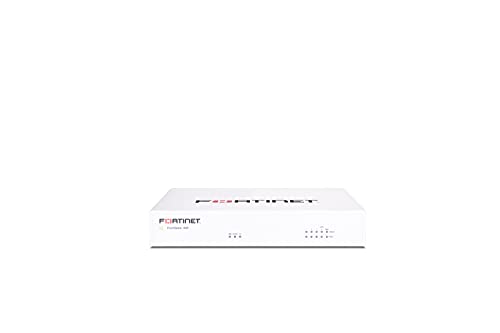
The FortiGate runs at the edge of my own homelab. It is the one I know best. It is a small, fanless box that runs quiet and uses little power. It handles routing, VLANs, IPS, and VPN.
Consider the 60F if you want more throughput and ports.
What I like is the control. I can segment my network, set tight firewall rules, and run a VPN, all from one box. I also run CrowdSec on top of it for an extra layer of security.
The Fortigate is also capable to run as a secondary DNS server for you AD domain controller. I implemented it and wrote a separate article.
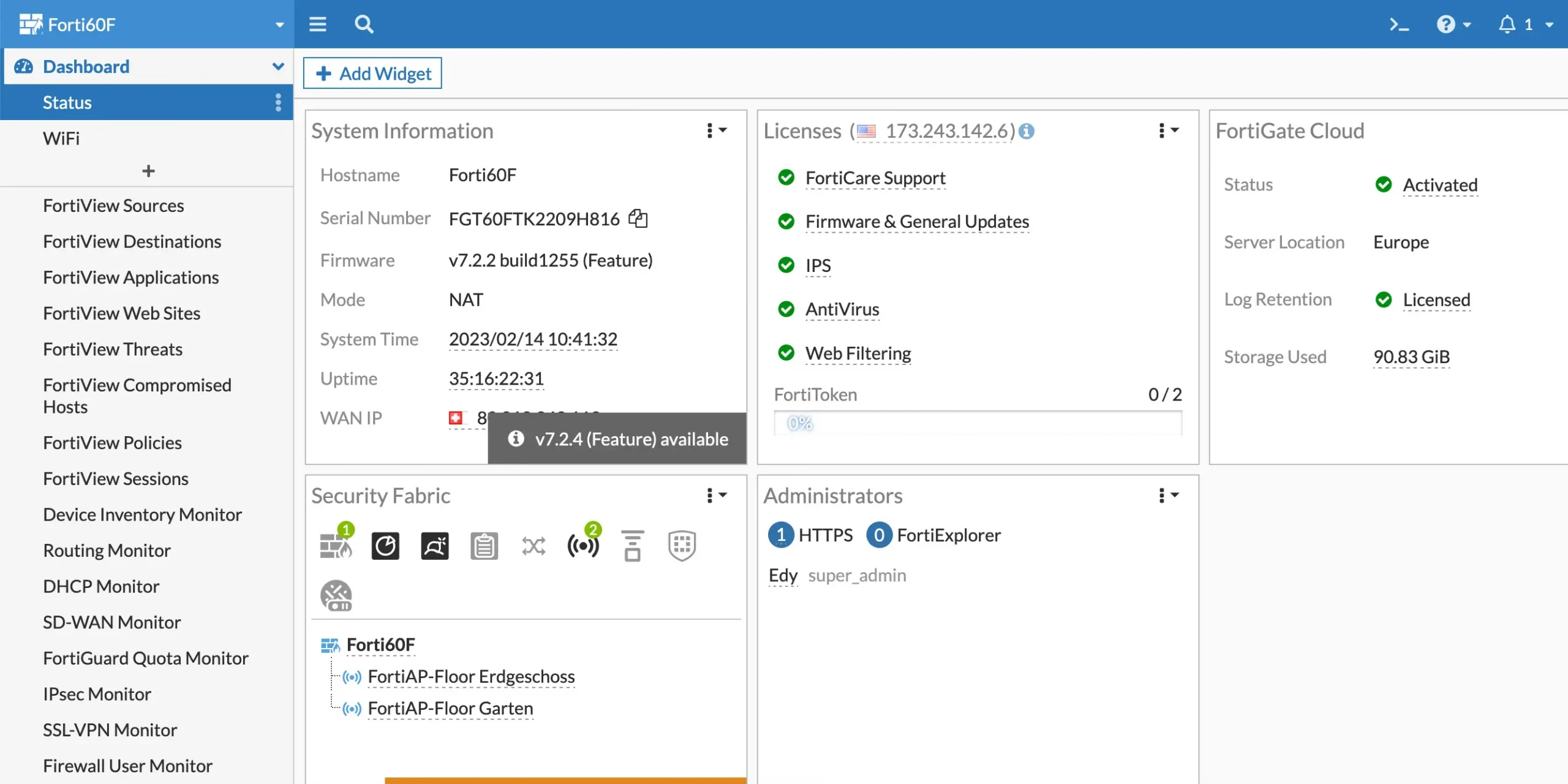
It’s the part people miss, and it came up a lot when I asked the homelab community. A FortiGate has two kinds of licenses. FortiGuard covers security services such as live threat signatures and web filtering by category. FortiCare covers support and firmware updates.
So does it work without a subscription? Yes. The FortiGate continues to function as a firewall even after the licenses expire. You keep your firewall rules, NAT, routing, VLANs, and VPN. What you lose is the live intelligence. No new IPS or antivirus signatures, no web filtering by category, and no firmware updates.
When you buy, check what you are getting. The 40F is often sold as an appliance-only option, with no subscription. The 60F is sometimes sold as a bundle that includes a year of FortiGuard and FortiCare. Pick based on whether you want the security services from day one.

The Zyxel USG FLEX 200H is a small business firewall that works well at home. Get the H model. The older USG Flex 200 is the previous generation.
It gives you firewall, UTM, and VPN in one box. You get two 2.5G ports and six gigabit ports, and every port is software-defined, so you set each one as WAN or LAN. High Availability is built in, so you can run two units for failover at no extra cost.
Like the FortiGate, the security features run on a subscription. The Entry Defence or Gold Security pack covers the UTM tools. The base firewall, routing, and VPN work without it.
Pick this if you want a clean appliance with a friendly interface and multi-gig ports, and you do not want to learn pfSense.
The Netgate 4200 is the official pfSense Plus appliance. If you like pfSense but do not want to build your own box, this is the clean way to buy it.
It runs a 4-core Intel Atom CPU and has four 2.5G ports you can set as WAN or LAN. It is fanless and silent. pfSense Plus comes preinstalled, with free software updates for the life of the hardware. VPN covers IPsec, OpenVPN, and WireGuard.
This sits between DIY and a brand appliance. You get pfSense and its huge feature set, but the hardware and setup are done for you. It starts around 549 dollars.
Firewalla is the easiest firewall here. You manage the whole thing from a phone app, so it suits people who do not want a web console or a learning curve.
The Purple SE is the affordable model. It does deep packet inspection, blocks ads, and sets up VLANs and a VPN through simple taps in the app. There is no yearly subscription for the core features, which is rare at this price.
Pick this for a simple home network, or for someone who wants real control without the command line. Power users will find it less flexible than pfSense or a FortiGate.
See the feature for Gold Plus directly from Firewalla

If you already run UniFi gear, a UniFi gateway keeps everything under one controller. Note that the old USG-PRO-4 is end of life, so do not buy it. The current pick is the Cloud Gateway Max.
It costs around 199 dollars, runs the full UniFi controller built in, and does about 2.3 Gbps of IDS/IPS. It also takes an NVMe drive if you want to add cameras later. For a rackmount option with more ports, step up to the UDM Pro.
Pick a UniFi gateway only if you are already in the UniFi world. The single dashboard for your network, switches, and access points is the real draw.

The MikroTik RB5009 is the pick for power users who want a lot of network for little money. To be clear, it is a router first. But RouterOS includes a strong firewall, so many homelabbers run it as both. Mikrotik is known for its advanced and customizable RouterOS.
The RB5009UG+S+IN gives you seven gigabit ports, a 2.5G port, and a 10G SFP+ cage, for around 200 dollars. MikroTik even calls it a home lab router. That 10G port for the price is why it keeps coming up in homelab threads.
One honest warning. RouterOS has a steep learning curve..It is powerful, but it is not plug-and-play. It lacks built-in IDS/IPS like FortiGate.
The hardware is not where MikroTik trips people up. The config is. This came up again and again in a recent r/homelab thread. The RB5009 runs great once set up, but the defaults are not tuned for you. As one user put it, a single misconfigured queue tree or NAT rule can tank throughput. You build the rules yourself.
You can test the RouterOS before buying the hardware by spinning up a Cloud Hosted Router (CHR). It runs RouterOS in a VM, so you can learn the interface without spending a cent. You will not get hardware offload but you will know fast whether the workflow suits you.
The Palo Alto PA-440 is here for one reason: learning. Do not buy it to protect your homelab. Buy it if you want hands-on time with enterprise PAN-OS, or you are studying for the Palo Alto certs, the PCNSA or PCNSE.
Palo Alto sells a lab-licensed version of the PA-440 at a lower price for exactly this. It runs the same software as the enterprise units, so you practice on the real thing at home. That is why a fair number of homelabbers run one.
For everyone else, it is overkill and expensive. The certs and the PAN-OS skills are the whole point.

Based on the input I received on my question in the community, I know most prefer to build a software firewall with OPNsense or pfSense and use a Mini-PC. Suitable Mini-PCs with decent memory (8GB), a 256GB SSD, and 2-4 network ports are available from Amazon or AliExpress for less than $200.
However, my pick based on personal experience is still a hardware firewall for the job in a homelab. I’ve been using a FortiGate 60F for years with a subscription for threat protection. Late last year, fiber arrived in my home, with speeds up to 25 Gbps now available. My FortiGate subscription ends at the end of the year, and I’m planning to upgrade to a larger model. The idea is to grow my network hardware as my internet speed grows, even though inspecting a multi-gig line at full rate is a challenge in itself.
One more personal opinion. I like to fully own my firewall, so I avoid cloud-locked gear like Cisco Meraki. The Meraki box sits on your premises, but you manage it from Cisco’s cloud, and every device needs a paid yearly license. Let that license lapse and the device stops working. That is not for me. I want a firewall that keeps running on its own, with a controller I can host myself. Cloud management is fine when it is optional, like on UniFi or Zyxel. I just do not want it forced on me.
I would love to get your feedback. Was this article helpful? Please share your opinion with me in the comment section below. Or, if you prefer a more personal touch, feel free to email me directly at info@edywerder.ch. Your thoughts and insights are always appreciated.
If you are setting up your homelab from scratch, my Homelab Guide covers everything from hardware to networking and storage.
Hi, I'm Edy Werder. I write hands-on guides about servers, virtualization, NAS and WordPress, based on setups I run in my own homelab. Real configs and real results, no fluff.
Enjoying the content?