

By Edy Werder, a tech blogger with 20 years of experience in IT infrastructure
Is the Acemagic K1 worth buying? For anyone looking for a compact, quiet, and low-power mini PC for Windows, Proxmox, or a small home lab, my answer is yes, although it has a few limitations.
I tested the Ryzen 5 7430U model with 32GB of RAM and a 512GB SSD. I first used it as a Windows 11 Pro desktop, then converted it into a standalone Proxmox node running Home Assistant. More recently, I opened the case and added a 1TB WD Blue SN550 NVMe SSD as dedicated storage for virtual machines.
This matters because inexpensive mini PCs can look impressive on paper, but specifications do not tell you how noisy they are, whether the hardware is really upgradeable, or how reliably they run Proxmox. In this review, I share my hands-on experience with performance, power consumption, fan noise, storage upgrades, and daily use so you can decide whether the K1 fits your desktop or home lab setup.
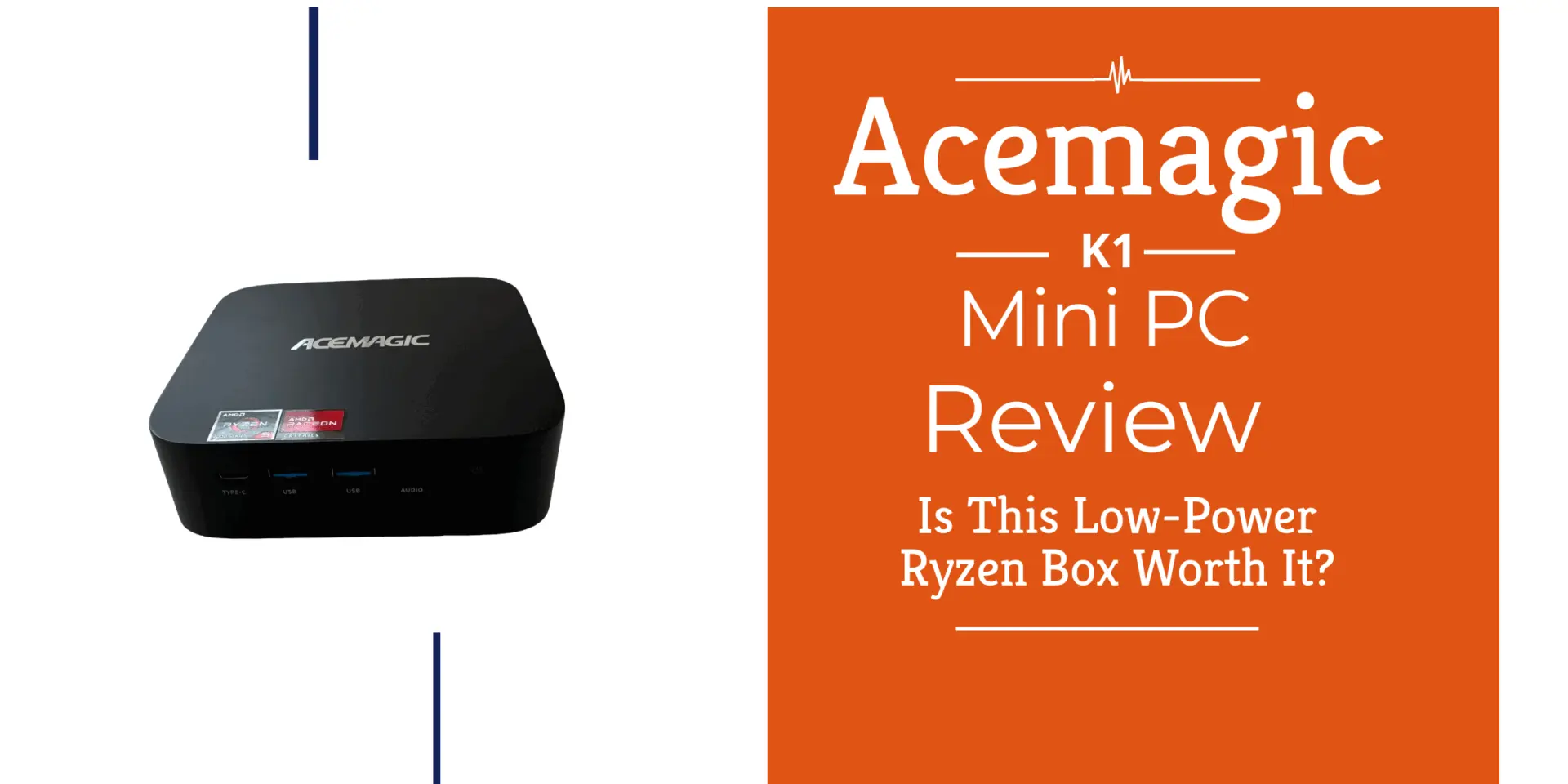

The package arrived via Amazon in a typical brown shipping box and was in good condition upon delivery. Inside, the retail packaging looked clean and modern. Amazon didn’t charge shipping cost even though it was shipped from Germany to Switzerland.
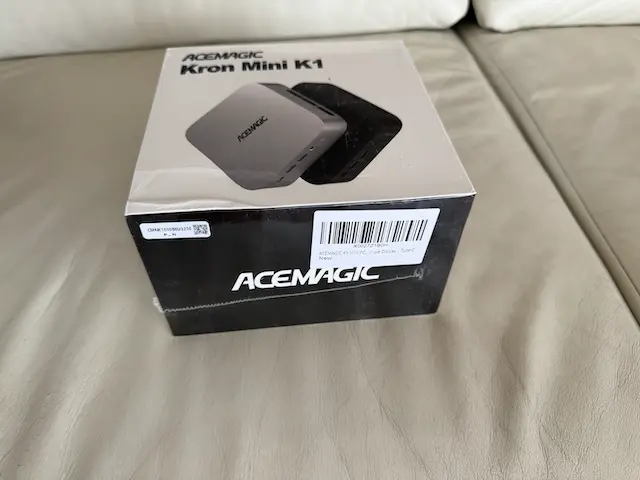
Inside the package, you’ll find:
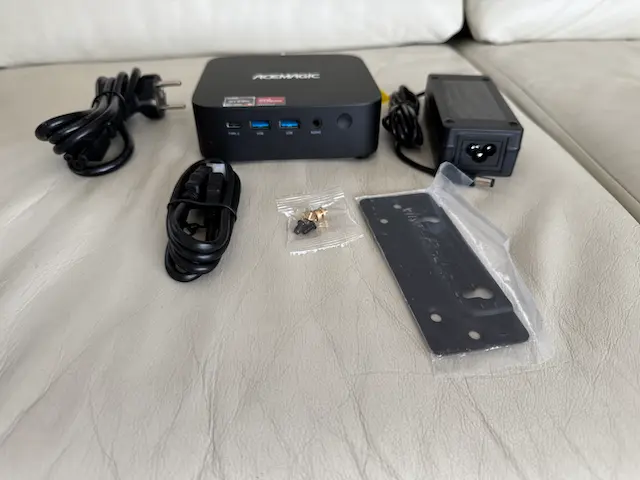
The packaging was surprisingly complete, especially with the extra plug options. It can easily be mounted on the back of a monitor or under a desk.
The K1 came with Windows 11 Pro pre-installed and clean. No annoying bloatware or setup hurdles. I had the system booted and running within minutes.
Thanks to the SSD, the boot process was snappy, and everything worked out of the box—even network and audio. I did not encounter any error messages or setup errors during the initial setup process.
On the back of the box, you’ll see a full range of configuration options:
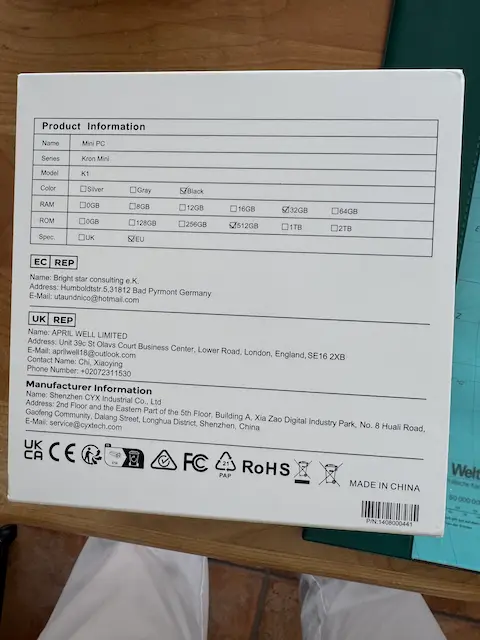
RAM | Storage | Colors | Regions |
|---|---|---|---|
8GB, 16GB, 32GB, 64GB | 128GB, 256GB, 512GB, 1TB, 2TB | Silver, Grey, Black | UK, SE/EU, USA |
My review unit came with 32GB of RAM and a 512GB SSD, making it great for multitasking or lightweight virtualization.
Also worth noting: ACEMAGICIAN (same brand family) offers a higher-end Ryzen 9 6900HX mini PC aimed at gamers, featuring RGB lighting and DDR5 memory. That model has a very different chassis and purpose, so make sure not to confuse the two.
The K1 is roughly the size of a stack of CD cases. It feels solid and is light enough to mount behind a monitor. The finish is a clean matte black, and all ports are easily accessible.
It’s ideal for limited desk space setups — I tucked mine behind a display and forgot it was even there.
The ACEMAGICIAN K1 Mini PC comes well-equipped for everyday computing and creative tasks. With 32GB of DDR4 RAM, this mini PC delivers smooth performance for light gaming, photo editing, and entertainment. The generous memory ensures your system can handle multiple applications simultaneously, making it an excellent choice for users who value productivity and creativity.
Storage space is another strong point. The device features a fast 512GB SSD, providing ample room for your files, programs, and operating system. This means quick boot times and responsive performance, whether you’re working on photos, streaming video, or managing documents. For those who need even more, some models offer up to 32GB of RAM, and the storage can be upgraded, giving you the flexibility to expand as your needs grow.
Powered by an AMD Ryzen 5 7430U processor, the K1 mini PC delivers efficient multitasking and fast load times, making it a capable device for work and play.
Connectivity is a standout feature of the ACEMAGICIAN K1 Mini PC. The device is equipped with a wide array of ports, including USB-C ports for fast data transfer and charging, dual LAN ports (one supporting 2.5G speeds), HDMI, and DisplayPort outputs. This setup allows you to connect up to three monitors, making it ideal for multitasking or a more immersive desktop experience.
The mini PC supports Wi-Fi 6 and Bluetooth, ensuring fast, stable internet and device connections.
Despite its powerful features, the K1 remains energy efficient, with low power consumption that helps keep your electricity bills down. For customers seeking a compact, modern desktop that doesn’t compromise on connectivity or performance, this mini pc is a strong contender.
This machine punches above its weight with a Ryzen 5 7430U, 32GB DDR4 RAM (3200 MHz), and a 512GB SATA SSD. Its performance can match or even exceed other mini PCs in its price range, offering impressive speed and efficiency for the cost. It’s perfect for general productivity, media playback, and light Docker or home-server use.
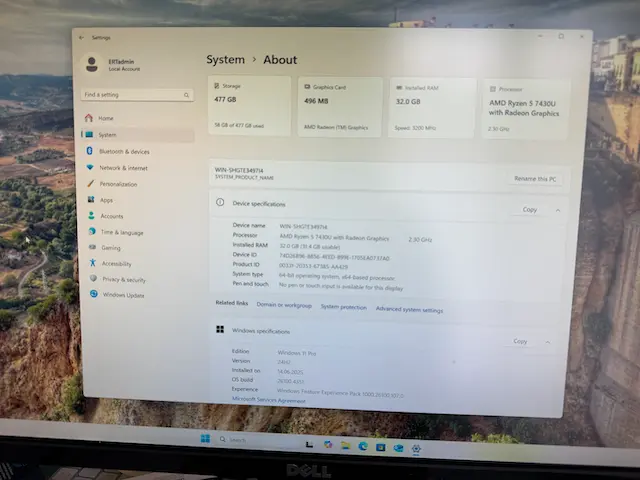
Performance is smooth, and thermals are managed well.
Yes — very much so. The back panel includes:
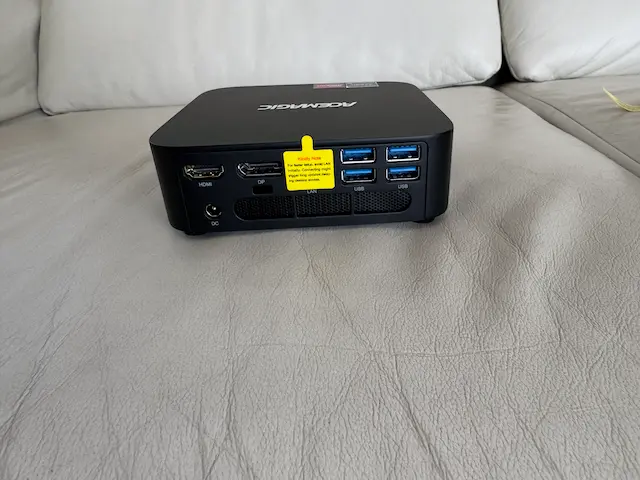
You can run up to 3 monitors from this mini PC, which is impressive at this price point. I tested it with dual screens (HDMI + DP) and it worked flawlessly.
The fan peaks at around 42 dB, which is noticeable but not distracting. During light use, it stays nearly silent. I wouldn’t call it fanless, but it’s quiet enough for a living room or bedroom.
As for power draw, users report, and my testing confirmed that it stays well under 30W in typical usage, making it a great 24/7 energy efficiency device.
– BIOS and security settings]
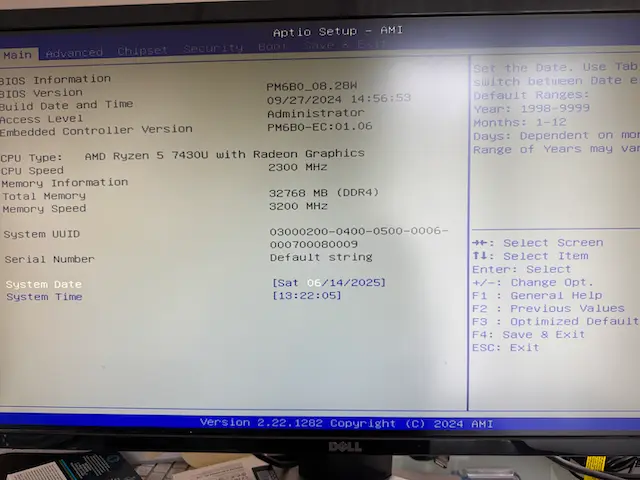
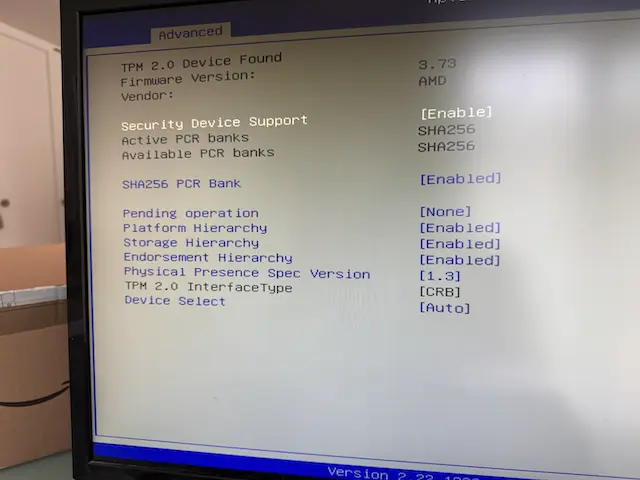
The BIOS is standard Aptio (AMI), with access to TPM 2.0, boot options, and virtualization settings. Everything is enabled and accessible — no OEM lockdown or missing features.
That means you can use this for Proxmox, Linux installs, or even a custom Windows image if you like tinkering.
One advantage of the Acemagic K1 is that its storage can be expanded without replacing the original SSD.
Opening the case is slightly less obvious than expected. The four Phillips screws are hidden underneath the four rubber feet on the bottom of the Mini PC. After removing the screws, I carefully released the plastic clips and lifted the bottom cover.
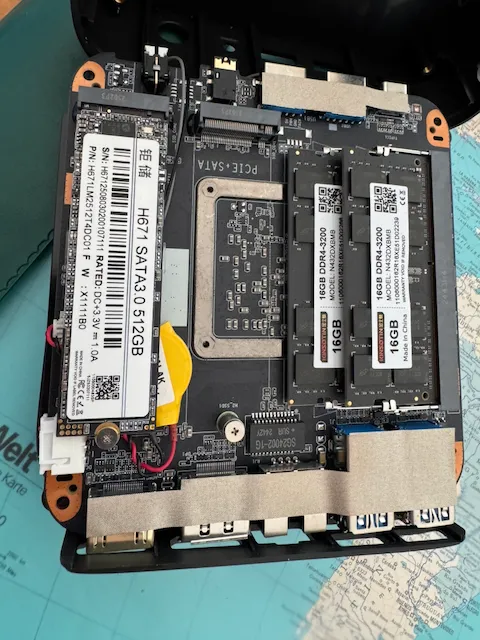
Inside my K1, I found the original HOGE H671L 512GB M.2 SATA SSD. Next to it was a free M.2 slot clearly labeled PCIe + SATA.
I installed a spare 1TB WD Blue SN550 in this slot. The SN550 is an M.2 2280 NVMe SSD, so the PCIe-compatible slot was the correct location for it.
Installation was straightforward:
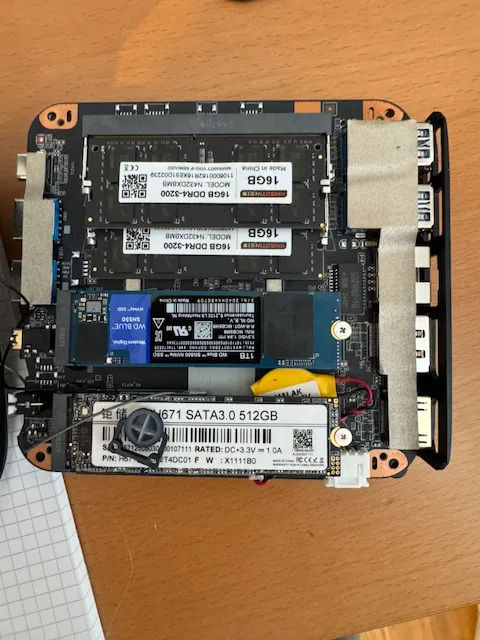
After booting Proxmox, the new drive appeared as /dev/nvme0n1. Proxmox detected the full 1TB capacity, and the S.M.A.R.T. status passed.
The SSD still contained old Windows partitions, so I wiped it through the Proxmox interface. I then created a new LVM-thin storage pool called nvme-thin.
I now use the original 512GB SATA SSD for Proxmox itself. The additional 1TB NVMe SSD provides dedicated storage for virtual machines, including my planned Prometheus and Grafana monitoring server.
This upgrade confirmed that the K1 is more expandable than its compact case suggests.
Pricing for the Acemagic K1 varies depending on configuration, but generally prices remains competitive
Configuration | Typical Price (USD) |
|---|---|
Ryzen 5, 16GB / 512GB | ~$269 |
Ryzen 5, 32GB / 512GB | ~$319–349 |
Ryzen 5, 64GB / 1TB | ~$399+ |
Prices fluctuate based on Amazon sales and third-party resellers, so checking for current discounts is worth it. Stock may be limited, so interested buyers should check availability promptly. It delivers excellent value for what it offers — modern AMD CPU, up to 64GB RAM, triple display output, and low power draw.
I bought mine on Amazon Germany and would recommend checking there first.
If you ever encounter an issue with your ACEMAGICIAN K1 Mini PC, help is readily available. The company offers dedicated customer support, with multiple ways to contact the team for assistance. Customers can visit the official website for helpful guides, FAQs, and troubleshooting tips, or reach out directly via email for more personalized support.
The device comes with a comprehensive user manual and installation guide, making setup and maintenance straightforward. ACEMAGICIAN backs the K1 with a warranty and refund policy, so you can purchase with confidence knowing your investment is protected.
Customers are encouraged to provide feedback and review their experience, helping the company improve its products and services. With its quiet operation, compact design, and reliable support, the K1 mini pc is designed to deliver a hassle-free and enjoyable computing experience.
User reviews of the Acemagic K1 are generally very positive. Most customers praise its value, fast setup, and generous RAM configurations.
“Excellent little computer with loads of RAM (32GB)! The price was right, and I love using the AceMagic K1 for day-to-day activities.” – Verified Amazon Buyer
“Great little box… I use them as TV boxes. All works very well under Linux, except the built-in Wi-Fi isn’t recognized.” – Verified Amazon Buyer
“It runs apps very well and is quiet. Connecting three monitors is admirable. But I had to create a second Windows user account to fix a networking bug.” – Verified Amazon Buyer
Many customers have also commented positively on the customer service provided, noting that the manufacturer guarantees product exchanges or support. This reliable service has contributed to overall satisfaction.
These reviews reflect a strong experience overall, especially for those using Windows 11. If you’re planning to install Linux or want flawless out-of-the-box updates, be aware of some user-reported quirks. There is hope that future updates will address these minor issues and further improve the product.
After using the AceMagic K1 as a Windows 11 Pro mini PC, I wiped it and turned it into a small Proxmox homelab node.
Right now, I’m running Home Assistant on it as a VM. For me, that’s a perfect workload for this kind of mini PC:
I originally installed Proxmox using the K1’s included 512GB SATA SSD. I selected ext4 with LVM-thin because the system had only one drive at the time.
I have since added a 1TB WD Blue SN550 NVMe SSD. Instead of reinstalling Proxmox or creating a ZFS mirror, I configured the new SSD as a separate LVM-thin storage pool.
My current storage layout is:
Original 512GB SATA SSD:
Proxmox operating system and existing local storage

Additional 1TB NVMe SSD:
Dedicated LVM-thin storage for virtual machines
The K1 remains a standalone Proxmox node outside my main cluster. It currently runs Home Assistant, and I plan to use the new NVMe storage for a Prometheus and Grafana monitoring VM.
Keeping the monitoring system outside the cluster means it can continue observing the cluster even when one of the main Proxmox nodes has a problem
If you want a compact Proxmox box to run Home Assistant and test a few VMs or containers, the AceMagic K1 is well-suited. It’s not a big server, but as a small always-on node, it works.
If you’re looking for a small, affordable PC that’s good for:
…the K1 is an excellent choice. These recommendations apply to users seeking energy-efficient, compact PCs for home or office use.
It’s not for gaming or heavy development work, but for the price, it’s one of the better AMD-based mini PCs out there.
The K1 has a Realtek LAN chipset, so I assume it would run Proxmox out of the box, but not VMware ESXi. Virtualization should be possible, though it has not been tested.
I reviewed the Acemagic K1 Mini PC with the AMD Ryzen 5 CPU. Here are other models from Acemagic’s Mini PC line.
I’d love to hear from you. Was this article helpful? Share your thoughts in the comments below. If you prefer, you can also reach me by email or connect with me on Reddit at Navigatetech.
Hi, I'm Edy Werder. I write hands-on guides about servers, virtualization, NAS and WordPress, based on setups I run in my own homelab. Real configs and real results, no fluff.
Enjoying the content?


![ACEMAGIC Mini Gaming PC Ryzen 9 6900HX+ AMD Radeon 680M (up to 4.9GHz) Mini Computers 32GB DDR5 1TB NVMe SSD Mini PC [3 Modes/RGB Lights] Mini Desktop Computer/WiFi6/BT5.2/4K UHD](https://m.media-amazon.com/images/I/41OMIc2rAoL._SL500_.jpg)


I bought an Acemagic K1 and my cousin suggested to upgrade the SSD to a 1TB to use NinjaTrader Desktop 8. Im waiting for the SSD to arrive in the mail. The SSD was $111.00. I’m hoping to have a capable mini for trading. I paid $238 for the mini. Now I’m in for $349. Do you think that was a good decision? I’m wondering if the SSD I ordered is the right one. Netac Internal SSD 1TB Solid State Drive
M.2 2280 PCle
Gen 3×4 NV
Me 3100MB/s.
Will this one work on my ACEMAGIC K1
16GB?
I’m sorry – just saw the message now. Yes I think the SSD is going fine. The AceMagic has two slots, so you could use both SSD. It might be a good idea depending what OS you are running with the Acemagic K1.
“Customers can easily upgrade the RAM and storage”
I just bought one, and I can’t figure out how to open it up to add RAM. Any suggestions?
Hi Bill – thanks for visiting my Blog! It’s a bit tricky, The four screw are under the rubber feet on the bottom. Remove them and then you see the screw to open the case. I will modify my blog to add it. Thanks again!