
By Edy Werder, a tech blogger with 20 years of experience in IT infrastructure
If you’ve ever wondered about the uses of a home server, you’re not alone. In 2026, more people are discovering that a home server isn’t just a niche tool for IT pros—it’s a flexible and surprisingly accessible way to take control of your digital life.
With just a bit of setup, a home server can stream media across your devices, back up important files, run smart home automations, serve as a lab for software development, and even host your own cloud or game servers. If you already have an old computer lying around, getting started might cost you nothing.
This article focuses on practical, real-world uses.
Let’s take a closer look at what a home server can actually do—and why it might be one of the best tech projects you take on this year.

One of the most common use case is to act as a centralized file server. Instead of storing documents, photos, and videos on individual devices, you can keep everything in one place. This allows all your devices to access shared content across your network without duplicating files or emailing them to yourself.
Whether it’s work documents, family photos, or project backups, a file server keeps everything organized and accessible from anywhere in your home.
With media server software like Plex or Emby, a home server can store movies, TV shows, music, and photos and stream them to any device in your home.
This setup is especially helpful if you have a large media library or want to share content with your family over your home network. Bonus: No subscriptions, no ads, and full control over your library.
Love gaming? A home server can host multiplayer games like Minecraft, Valheim, or classic LAN titles. By hosting your own game server, you get a lag-free, customizable experience that doesn’t rely on third-party hosting.
You can control mods, player limits, backups, and even automate scheduled restarts. It’s a fun way to combine your gaming hobby with tech tinkering.
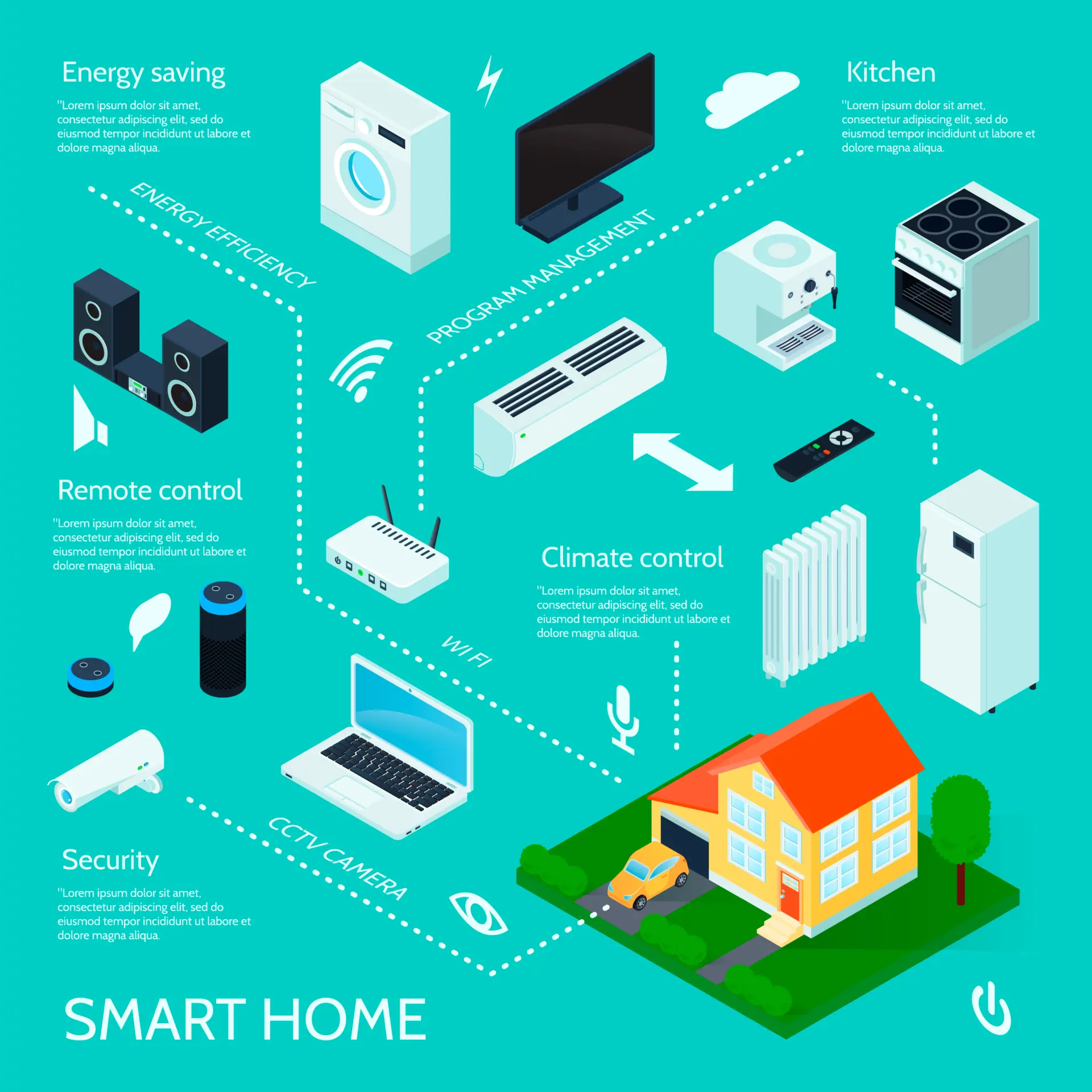
With platforms like Home Assistant, your home server can act as the centralhub for your smart home devices. You can integrate lights, thermostats, door sensors, security cameras, and more into a single dashboard.
More importantly, you can create custom automation rules. Want the hallway lights to turn on at sunset or your heater to shut off when a window is open? With a home server running automation software, it’s entirely possible—and entirely local.
Do you need to grab a file from home while you’re on the go? Your home server can act as a remote access point to your network. Set up secure access using VPN or self-hosted sync tools like Syncthing or Nextcloud.
Remote access is handy for frequent travelers, remote workers, or anyone who prefers to keep their files on their own infrastructure.
Yes, you can use a home server for web hosting your own website by setting it up as a web server. Whether it’s a simple blog, portfolio, or test site, running it from home gives you full control.
While a home-hosted site isn’t suited for high traffic, it’s a great learning experience and useful for low-demand, personal projects.
Running your own web server also means you’re not locked into a third-party host’s pricing or downtime. A private server like this works well for hosting websites that don’t need public traffic, like staging sites, internal tools, or documentation you only want on your local network. For lightweight web hosting needs, a home web server is hard to beat on cost.
Want to stop paying for Google Drive or Dropbox? A home server can function as your own private cloud storage solution. Tools like Nextcloud offer familiar interfaces for file syncing, sharing, and collaboration.
You get cloud-like functionality without giving your data to third-party providers, and you avoid monthly subscription fees.
Tools like Nextcloud offer familiar interfaces for file syncing, sharing, and collaboration. If you want to try it out, I’ve written a step-by-step guide on how to install Nextcloud on Proxmox with Ubuntu.
Beyond file sharing, your personal server can provide various services such as Active Directory, DHCP, or DNS. Running your own DNS server, for instance, blocks ads network-wide and resolves local hostnames without depending on your ISP. I’ve covered the full setup in my guide to running a DNS server at home.
This gives you better visibility and control over the devices on your home network.
It’s also a great way to troubleshoot network issues and tighten up your digital security posture.
Once you know what you want to run, the next question is how to build it properly. My homelab build guide walks through the hardware, network, and storage choices that make it work.
You don’t need expensive or cutting-edge hardware. You can likely repurpose an old PC or mini PC that collects dust.
For most tasks, a dual-core CPU, 4–8 GB of RAM, and a decent-sized hard drive is enough. The amount of RAM you need for a home server depends on the tasks you will perform on it—for example, basic file sharing and media streaming require less memory, while running multiple virtual machines or game servers demands more RAM. You can scale up from there as your needs evolve.
Check out my guide on choosing the best home lab server to find options matching your goals and budget.
If noise or power efficiency is a concern, here’s my guide to building a quiet home server setup.
The best OS depends on what you want to do. For most setups:
Pick one that matches your comfort level and planned use case.
If you’re just starting, it’s best to focus on one or two use cases rather than setting up everything simultaneously. Start with something simple and rewarding:
If you want the full list of projects to try, from your first VM to backups and monitoring, see my 25 homelab project ideas.
Once you’ve built confidence and seen the benefits, you can gradually expand your setup with additional services like remote access or home automation.
Enhance your virtualization experience with these budget-friendly and high-performing renewed servers.
| Brand | Model | Buy in US | Buy in UK | Kaufe in Deutschland |
|---|---|---|---|---|
| Dell | Poweredge R710 | View on Amazon | View on Amazon | Gehe zu Amazon |
| Dell | Poweredge R630 | View on Amazon | View on Amazon | Gehe zu Amazon |
| HPE | ProLiant DL360 Gen10 | View on Amazon | View on Amazon | Gehe zu Amazon |
| HPE | Proliant DL380 Gen 9 | View on Amazon | View on Amazon | Gehe zu Amazon |
| HPE | Proliant ML350 Gen10 | View on Amazon | View on Amazon | Gehe zu Amazon |
| Supermicro | E300 | View on Amazon | View on Amazon | Gehe zu Amazon |
One of the biggest advantages of running your own server is having complete control over all your data. Unlike cloud services, which rely on third-party infrastructure, a home server keeps everything local—enhancing both data privacy and ownership.
This kind of control is sometimes called data sovereignty: you decide who can access your data, instead of agreeing to a cloud provider’s terms of service. It also lowers your exposure to large-scale data breaches and government surveillance requests, since your files never leave your home network. You can add your own encryption and firewall rules on top, which gives you a level of security most cloud plans don’t offer.
With proper security measures like firewalls, strong user authentication, and regular software updates, you can ensure your server is well protected. It also serves as a powerful backup solution, helping you avoid data loss from hardware failures or accidental deletions.
Another key benefit is the ability to scale storage capacity as your needs grow. You can start small and upgrade over time without paying recurring fees or relying on vendor lock-in. Plus, a home server can be administered remotely, giving you access and control from anywhere.
And while many setups require only modest specs, you can always scale up to handle multiple services—just be aware that more complex use cases may demand more significant computing power.
Want to harden your network? Don’t miss my firewall recommendations for home labs.
Your own home server goes far beyond just storing files. Whether you want to set up a media center, automate your smart home, or replace cloud services, a home server offers unmatched flexibility and long-term value.
It’s a rewarding DIY project that pays off in control, cost savings, and hands-on learning.
If you’re ready to dive deeper, check out my other guides on the best server hardware, quiet home lab builds, and Proxmox vs. ESXi to explore your next steps.
Hi, I'm Edy Werder. I write hands-on guides about servers, virtualization, NAS and WordPress, based on setups I run in my own homelab. Real configs and real results, no fluff.
Enjoying the content?