

By Edy Werder, a tech blogger with 20 years of experience in IT infrastructure
Setting up a 2-node Proxmox cluster is common in homelabs and small businesses. The downside is quorum: if one node goes offline (or the link drops), the remaining node can’t reach a majority vote. That can pause HA actions and block cluster changes until the quorum is back.
Editor’s Note: This article was updated on December 29th, 2025, to clarify a few things and correct incorrect statements.
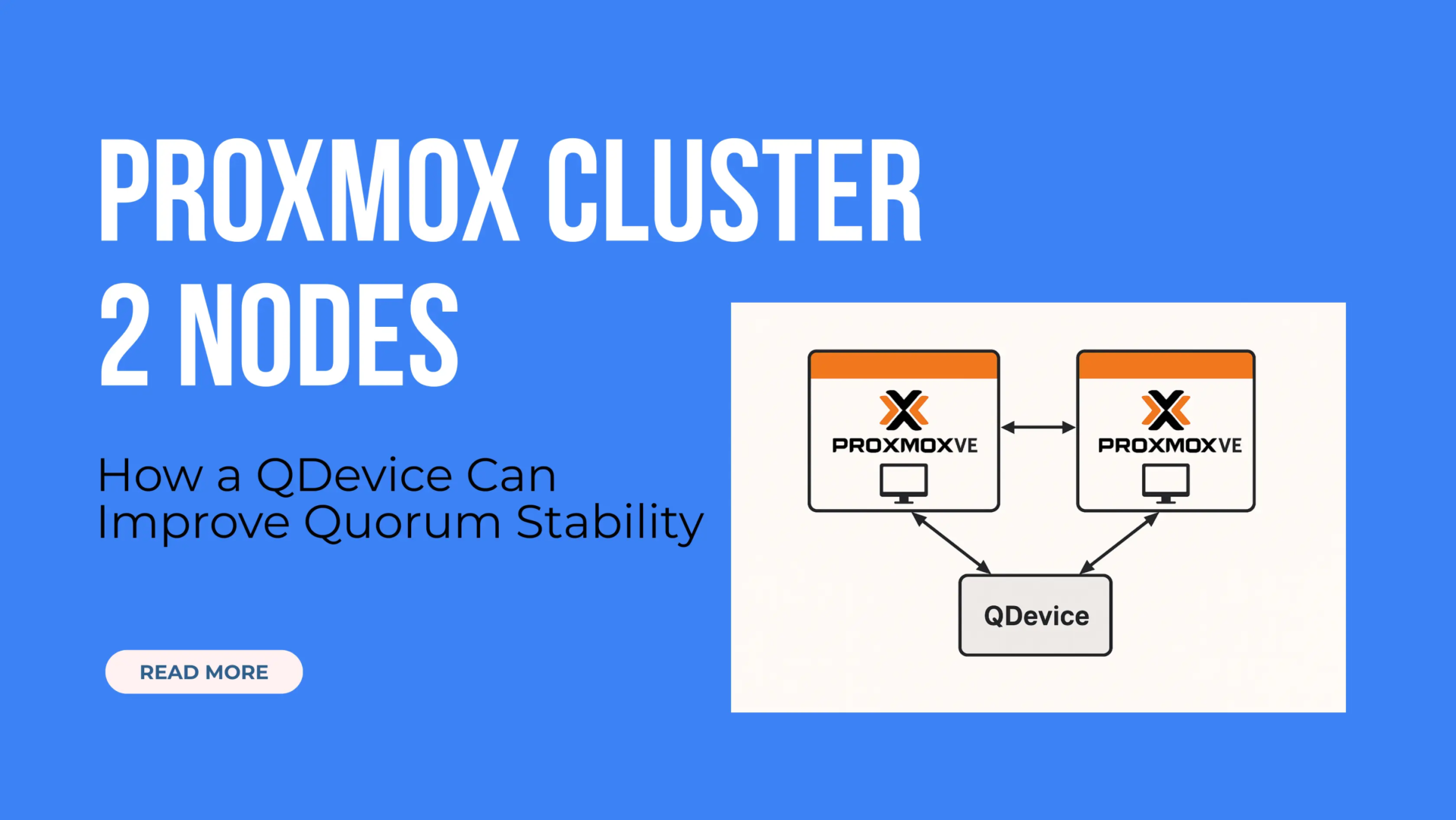
A Proxmox VE cluster links multiple physical servers into one centrally managed system through the web interface. It lets you migrate VMs and containers between hosts, and it’s the foundation for features like HA and replication. In short: clustering makes multiple nodes behave like one platform.
In this post, I’ll explain how to solve the classic 2-node quorum problem with a QDevice — a lightweight “third vote” that helps maintain quorum without running a full third Proxmox node. I’ll also share feedback I received from the r/Proxmox community and document my own setup using a Debian 12 VM hosted on a separate ESXi server.
Note: A QDevice isn’t mandatory, but it’s a smart, low-effort way to increase cluster reliability — especially when running HA in a resource-constrained environment.
To understand the limitations of a two-node Proxmox cluster, you need to understand quorum. Proxmox relies on Corosync to handle cluster communication, and quorum is what protects the cluster from making conflicting decisions when nodes lose contact.
Quorum is simple: the cluster needs a majority of votes to consider itself “healthy” and allow cluster-wide changes. That’s what helps avoid split-brain situations where two nodes could otherwise act independently.
In a cluster with only two nodes, each node has one vote. If one node goes offline (or the network link breaks), the remaining node has only 50% of the votes — and that’s not enough for a majority.
At that point, the cluster will typically:
If you want the deeper technical details, Proxmox documents how the Cluster Manager and quorum work.
A 2-node Proxmox cluster does have quorum as long as both nodes can see each other. The problem is that it loses quorum immediately when one node is down or unreachable, which is why a QDevice is so helpful.
You can work around this temporarily by running:
pvecm expected 1…on the remaining node. But this is a manual override, not a permanent fix. It also doesn’t survive reboots and opens the door to split-brain if both nodes think they’re active, leading to severe data issues.
That said, running a Proxmox cluster with two nodes is still better than managing two completely standalone nodes. Even without quorum redundancy, a cluster setup gives you:
In other words, the 2-node setup is a solid foundation — it just needs one more piece to make it reliable: a third vote.
A QDevice (Quorum Device) is a lightweight component that adds a third vote to your Proxmox cluster, without requiring a full third node running Proxmox VE.
It doesn’t host virtual machines, manage storage, or run any cluster services beyond participating in quorum decisions. Its only role is to act as a neutral tie-breaker in situations where a node becomes unreachable.
Adding a QDevice helps your two-node cluster maintain stability by ensuring quorum can still be reached when one node goes offline. This is especially important if you’re using High Availability (HA), as it prevents services and VMs from freezing or becoming inaccessible due to quorum loss.
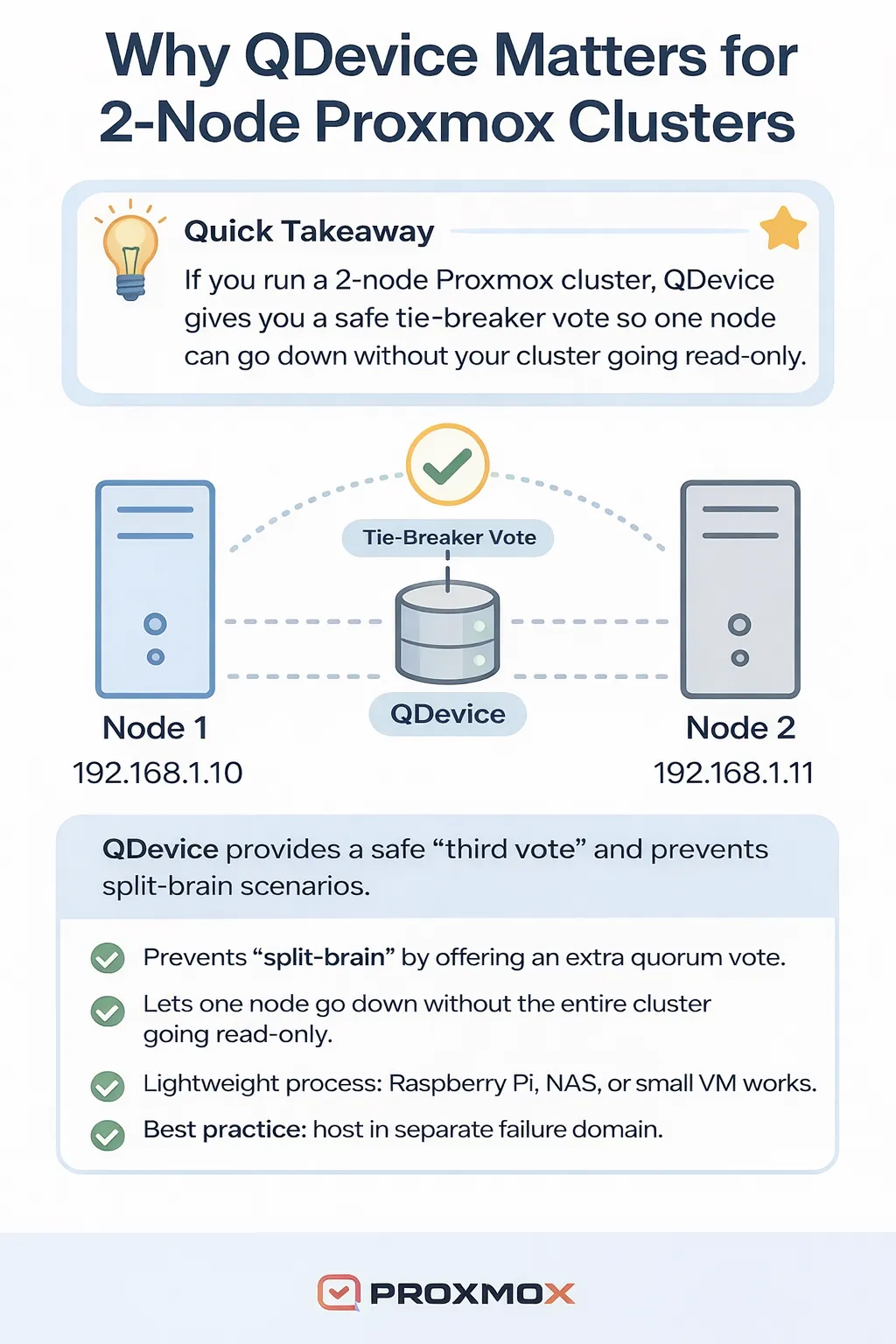
Think of it as a virtual referee: it doesn’t run in the game but helps both players agree on the rules when one goes silent.
You can host the QDevice on almost any always-on system, such as a virtual machine (VM), a Network Attached Storage (NAS) device, a Raspberry Pi, or a low-power LXC container. Just ensure that the system is physically separate from your two Proxmox nodes and has a static IP address that is reachable.
In the next section, I’ll walk through hosting options and explain why Debian is a safe and stable choice, even though Ubuntu can also work with some adjustments.
While this article focuses on solving quorum issues in 2-node Proxmox clusters, QDevices can also help in any even-numbered cluster (like 4 nodes). If you later add a third (or any odd-numbered) node, be sure to remove the QDevice, as it’s no longer needed and could affect quorum calculations.
One of the most significant advantages of using a QDevice is that it doesn’t require a full Proxmox node. Instead, it can run on nearly any low-resource Linux system, as long as it’s reachable from both of your cluster nodes through the same network and is hosted on separate physical hardware.
Popular and proven options include:
A Raspberry Pi 5 is more than capable of running the QDevice service.

The QDevice must have a static IP address and be reachable over your LAN on TCP port 5403, which the corosync-qnetd service uses.
Additionally, all Proxmox nodes in the cluster must be able to communicate with each other over UDP ports 5405–5412, which Corosync uses for internal cluster messaging. These ports are critical for maintaining synchronization and quorum in the cluster.
While Ubuntu can work, I recommend Debian 12 because:
That said, the actual certificate generation and configuration commands are executed on your Proxmox nodes. You don’t need to do anything certificate-related directly on the QDevice itself.
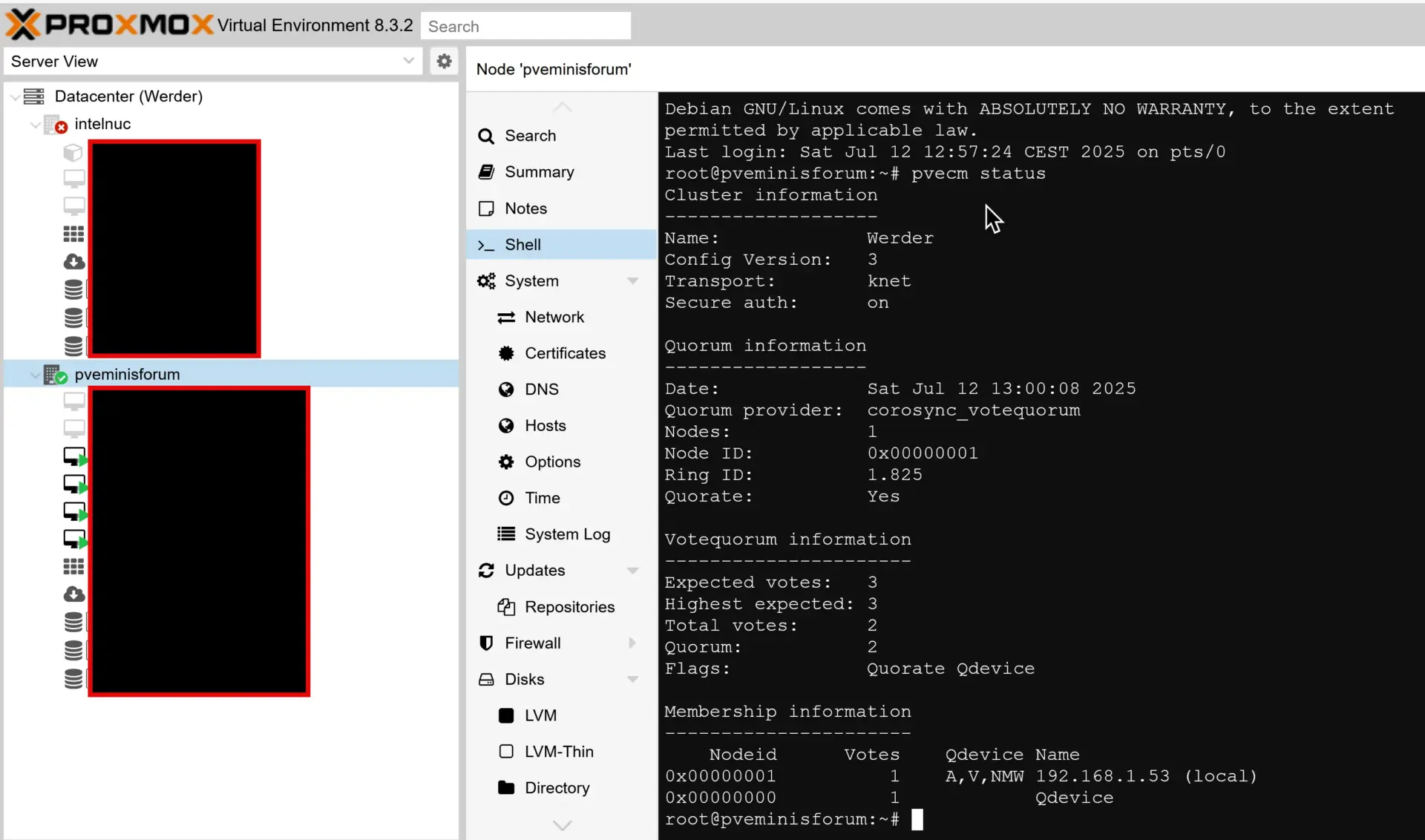
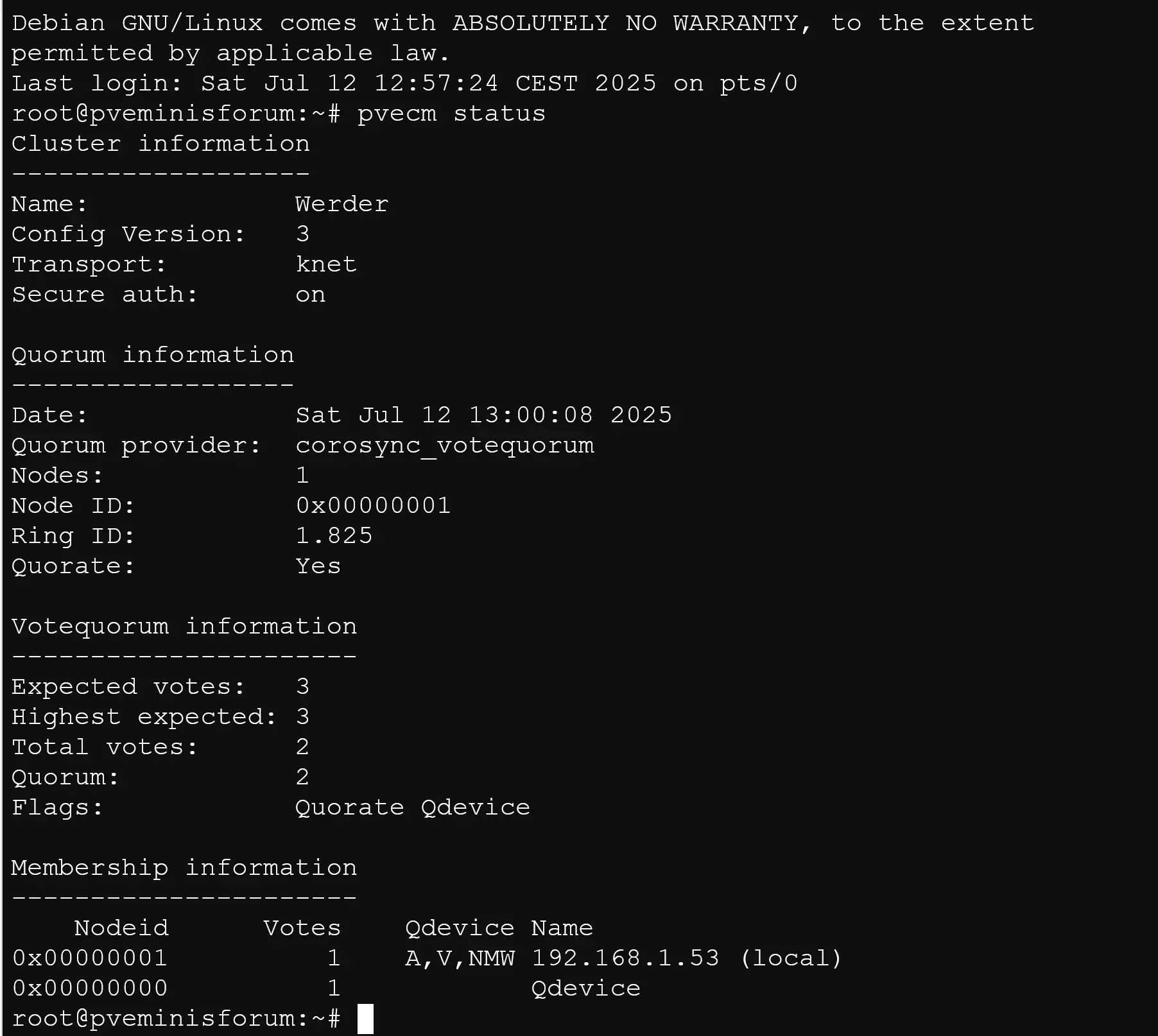
Here is a screenshot with QDevice quorum information. In my case, I run it on Debian 12 on an ESXi VM. You can use the VM for other needs, too. I use it as a Samba file server.
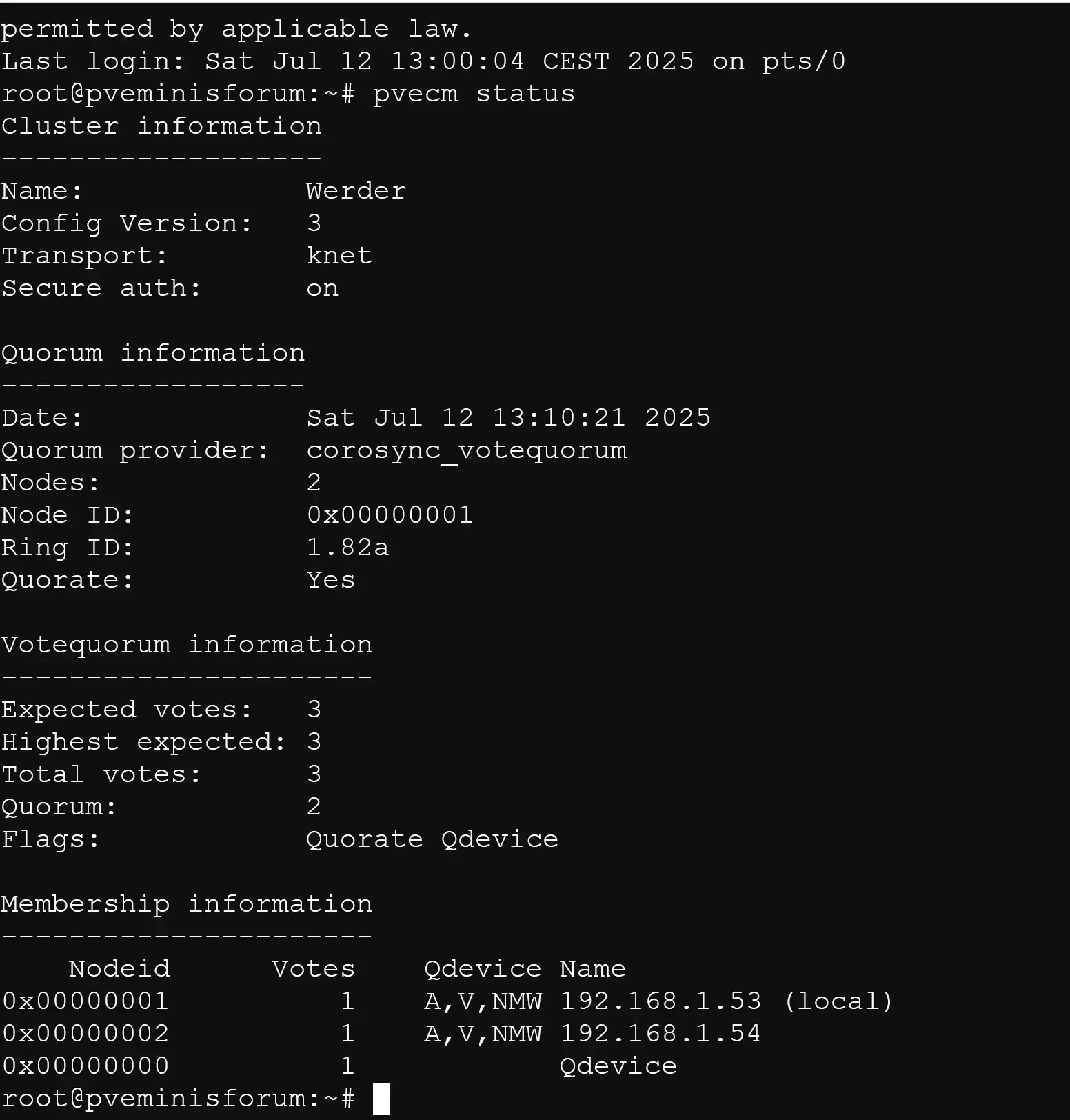
Note: You won’t see the QDevice listed in the Proxmox GUI. It doesn’t appear in the cluster node list, but it plays a critical role in quorum voting. To verify its presence, use pvecm status from the command line.
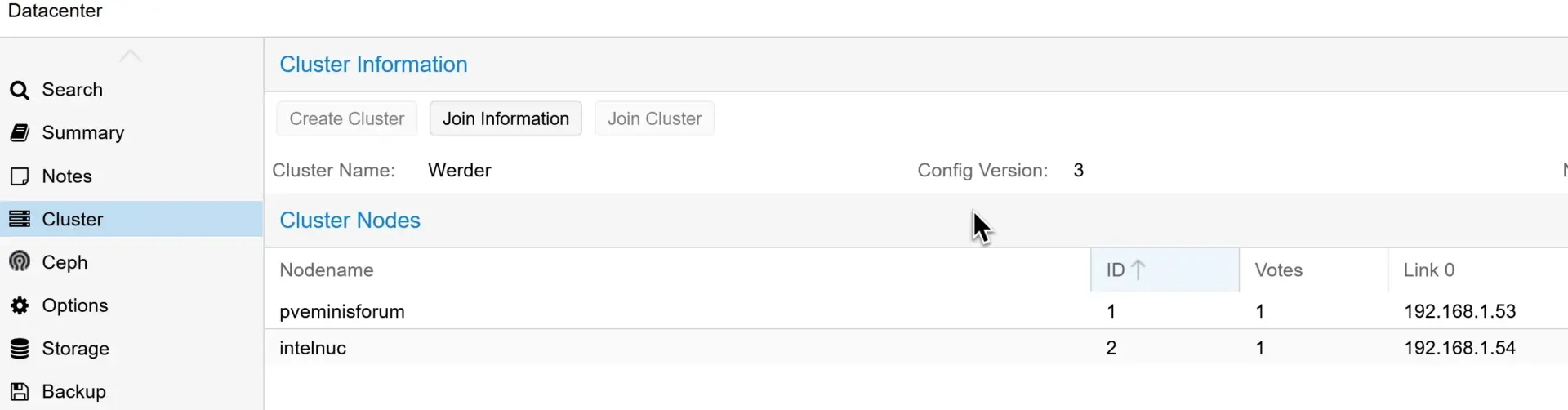
When one Proxmox node is offline, the cluster still maintains quorum because the QDevice provides the third vote. This is precisely the kind of fault tolerance that makes using a QDevice worthwhile in a two-node cluster.
Before setting up my own QDevice, I asked the r/Proxmox community about their experience running a Proxmox cluster with 2 nodes and whether a QDevice really makes a difference.
The responses confirmed what the documentation suggests: while not strictly required, adding a QDevice is a widely recommended best practice — even in homelab or small office environments. Users shared their setups, what worked well, and the few pain points to be aware of.
“You don’t really need a minimum of 3 devices. It’s not optional if you want a cluster that doesn’t break itself every time you reboot/shutdown a node.”
“A QDevice is good enough for the 3rd vote. You can run that on an older laptop, Pi, or even a clipped-out old NUC.”
“I use a VM on my NAS — works like a charm.”
“Just remember to open port 5403 on your firewall to allow comms from the nodes to the QDevice.”
“Ubuntu didn’t work as easily for me. Switched to Debian 12 and everything just worked.”
“What I did was go to the one node that will absolutely always be online… and gave it 2 votes instead of the default 1.”
Overall, the tone of the discussion was clear: you don’t need a powerful third node, but you do need a third vote — and a QDevice is the simplest, most stable way to do that.
You can read the full discussion here on Reddit.
(Thanks to the r/Proxmox community for the helpful responses!)
If you’re ready to set up a QDevice, you’ll be happy to know it’s a lightweight and straightforward process. You don’t need a full third Proxmox node — just a Linux system (I used a Debian 12 VM on an ESXi host) that’s reachable from both cluster nodes.
There are already several well-written guides covering the setup process. Rather than duplicate what’s been done, I recommend following this one:
How to Set Up a QDevice for a Proxmox Cluster – External Guide
Once installed, you’ll run a single command on your Proxmox node to connect the QDevice:
pvecm qdevice setup <ip-address-of-qdevice>Please ensure the root user is enabled for SSH. Proxmox will prompt for a password, which is the root password. Afterward, you can disable root access again.
pvecm statusA properly configured QDevice will increase the expected votes from 2 to 3 and ensure quorum is maintained, even if one node goes offline.
Screenshots earlier in this post show exactly what that looks like in action.
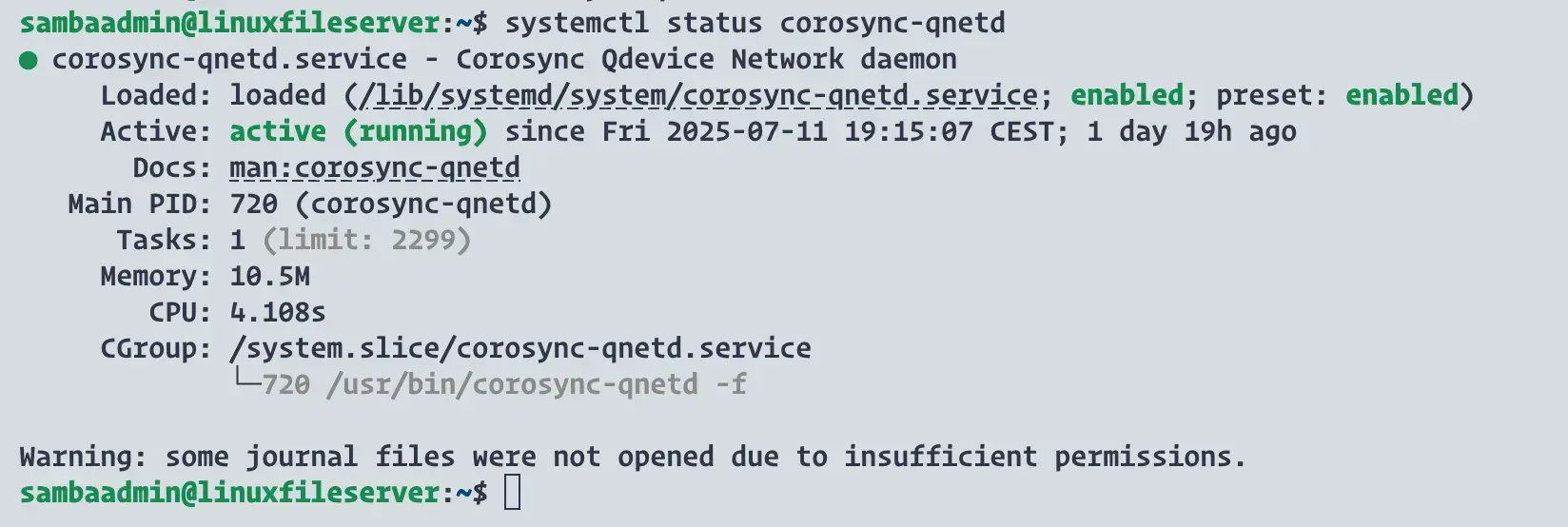
The corosync-qnetd service is running on my Debian 12 VM. This lightweight daemon enables the system to act as a QDevice and cast quorum votes for the Proxmox cluster.
Are you running a 2-node Proxmox cluster too? Did you go with a QDevice, or are you managing quorum another way?
I’d love to hear how you solved it — feel free to share your setup or any lessons learned in the comments. Let’s help each other build more resilient homelabs and small business clusters!
Suppose you’re running a Proxmox cluster with two nodes. In that case, adding a QDevice is one of the smartest things you can do as a backup, especially if you use High Availability (HA) or want to avoid unexpected downtime.
A QDevice doesn’t require a lot of resources, is easy to set up, and gives your cluster the ability to maintain quorum even when one node goes offline. It’s a simple, low-risk solution to a standard limitation in two-node clusters.
TL;DR: Yes — for any 2-node Proxmox cluster, a QDevice is a no-brainer.
To be clear: you can run a two-node Proxmox cluster without a QDevice, and in some homelab environments, that might be enough. But if you care about stability, uptime, or HA, the extra five minutes to configure a QDevice is well worth it.
Whether it’s a Raspberry Pi, a small VM, or even a NAS — if you can dedicate a system with a static IP and Debian (or similar Linux), you’re all set.
Highly recommended for homelabs, small businesses, and any setup where a third Proxmox node isn’t realistic.
I’d love to hear from you. Was this article helpful? Share your thoughts in the comments below. If you prefer, you can also reach me by email or connect with me on Reddit at Navigatetech.
If you’re setting up a 2-node Proxmox cluster, you’re already on the path to building a capable home lab. But choosing the right hypervisor can make or break your setup’s efficiency and scalability. I recommend checking out Best hypervisor for home lab for a broader comparison of options beyond Proxmox. It dives into key features, performance, and use cases—helpful if you’re still evaluating your tech stack. Before you go, it’s a great next read to ensure your infrastructure aligns with your long-term goals.
Hi, I'm Edy Werder. I write hands-on guides about servers, virtualization, NAS and WordPress, based on setups I run in my own homelab. Real configs and real results, no fluff.
Enjoying the content?

