

By Edy Werder, a tech blogger with 20 years of experience in IT infrastructure
A quiet server for home lab use isn’t just a nice-to-have — it’s often essential if your setup runs in a home office, bedroom, or shared space. Many assume enterprise servers are too loud for this, but that’s not always the case. In fact, models like the Dell PowerEdge T440 or HPE ProLiant DL360 Gen10 are surprisingly quiet when properly configured.
Some brands — like Supermicro — still need taming, but with the right approach, you can build a powerful yet quiet homelab server without compromising performance.
In this guide, I’ll walk you through real-world noise levels, quiet server options, airflow tricks, power-saving tips, and how to keep everything cool and silent — even in a compact setup.
Noise isn’t just an inconvenience — it directly affects how usable your setup is, especially if your server runs 24/7. Many enterprise-grade rackmount servers produce 50 to 70+ decibels, which is comparable to a vacuum cleaner at close range. That’s tolerable in a data center, but not in a living space.
This becomes a real issue when your homelab lives in:
Beyond comfort, noise is often linked to power usage. Loud fans usually mean high energy consumption, more heat, and increased wear on components. If you’re trying to run your lab efficiently, starting with a quiet, low-power setup makes more sense than trying to retrofit noisy gear later.
There are a few key factors that separate a quiet homelab server from a noisy one:
Keep in mind: most rack mounted servers are designed for airflow through loud, high-speed fans. If silence is your goal, you’ll want to look elsewhere.
Here are some of the best options if you want to build or buy a quiet homelab server:
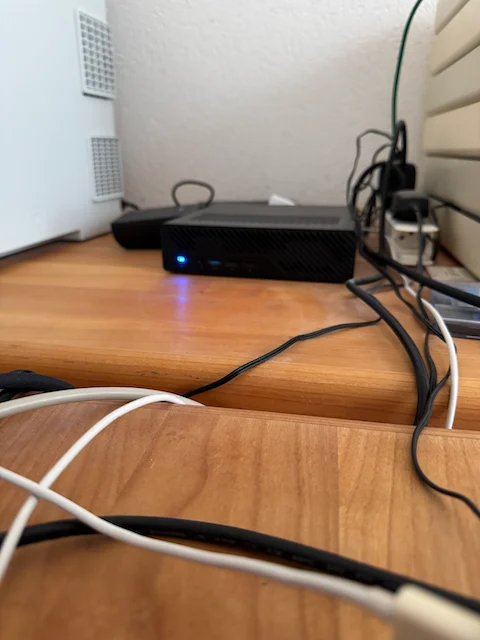
Mini PCs are ideal if you’re after a low-noise, low-power setup. The Minisforum MS-01, for example, offers server-grade features like 2.5GbE and 10GbE networking, supports ECC memory, and stays whisper-quiet under load.
Intel NUCs, especially the Pro line, are also solid options for lightweight virtualization or Docker containers. They typically come with a single fan and stay well below 30 dB during normal use.
Pros:
Cons:
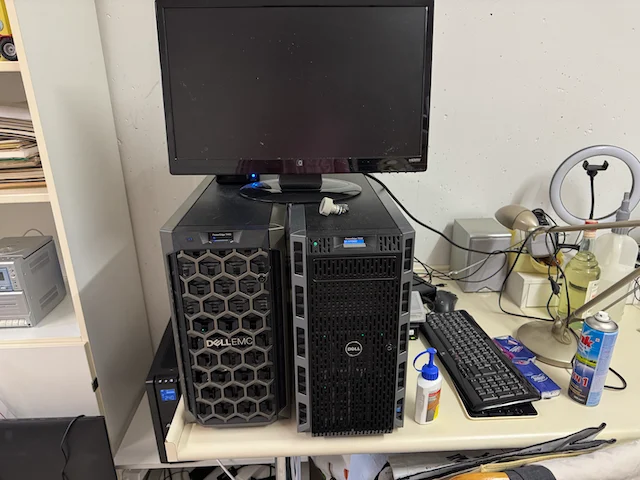
While most people assume all server-grade hardware is noisy, some tower and rack servers are actually well-behaved in terms of acoustics — especially in home lab conditions. From my experience, the Dell PowerEdge T440 runs very quietly, even with multiple hard drives and moderate virtualization workloads. It’s designed as a tower server with efficient thermal management, so fan speeds stay low under typical usage. Tower form factor servers generally have big fans that result in quieter operation, making them a great choice for noise-sensitive environments.
Surprisingly, HPE ProLiant DL360 Gen10 servers are also quiet — at least in comparison to older 1U models or Supermicro gear. They’re not whisper-silent like a mini PC, but they’re quiet enough to live in a small office or isolated corner, especially with fan profiles set properly in the BIOS or iLO.
Pros:
Cons:
If you’re already invested in Dell or HP ecosystems, these servers are a safe bet for a quiet homelab server — as long as you don’t mind their size. HP ML series servers, in particular, are often quiet and suitable for home lab environments, offering a balance of performance and acoustics.

If silence is critical — for example, in a bedroom or audio-sensitive space — you can go fanless. This usually means building a small, custom setup using passive cooling cases like:
Pair these with a low-power CPU like an Intel i3-T series or AMD 5700GE, and you’ve got a super silent server. Perfect for running a firewall (OPNsense/pfSense), Pi-hole, or even a small Kubernetes cluster.
Pros:
Cons:
If your focus is more on storage, and you want a quiet NAS server, cases like the SilverStone CS382 or NAS Case 4-Bay K3 Chassis,are worth a look. These support multiple drives but allow you to swap in quiet 120mm fans and rubber grommets to reduce vibration. Used HP Microservers are another excellent option, as they are very quiet and compact, making them ideal for home labs with limited space.
Paired with a low-power Xeon-D or Ryzen CPU, these cases can offer the best of both worlds: quiet operation and great expandability.
Pros:
Cons:
If you’re customizing airflow in a rack, tower server, or NAS enclosure, one of the easiest upgrades is swapping out stock fans. I’ve had excellent results with Noctua fans — they’re known for their ultra-low noise levels, reliable bearings, and smart PWM control.
Here are two models I recommend:


They’re not the cheapest fans out there, but once you’ve heard the difference (or rather, the lack of noise), you’ll understand why Noctua has such a solid reputation in the homelab and PC-building world.
Before buying, you can check detailed specs and compatibility for each model on the official Noctua website.
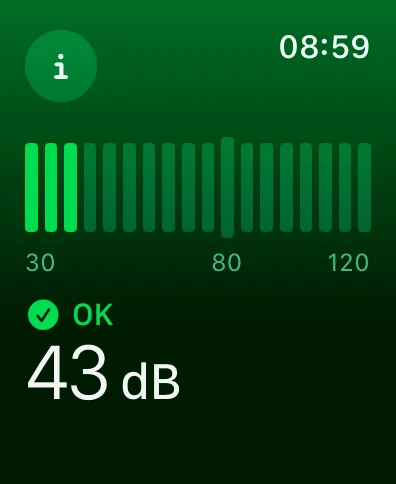
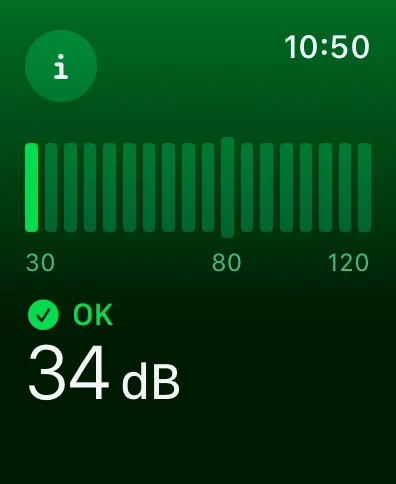
For more precise noise testing, I recommend the NIOSH Sound Level Meter, a free and scientifically calibrated app created by the U.S. National Institute for Occupational Safety and Health.
A quiet setup opens the door to many self-hosting possibilities—check out the best uses of a home server in a home lab.
A clean cabling setup isn’t just about looks; it also supports airflow, especially in partially soundproofed racks with limited ventilation.
Using a patch panel helps:
For homelabs, a 12- or 24-port wall-mounted CAT6 patch panel is ideal. Paired with short patch cables and cable guides, it helps maintain proper airflow — which is critical if you’re using a sound-dampened cabinet where every bit of circulation counts.
A quiet server is only one part of a well-planned home lab. My full homelab guide walks through the hardware, network, and storage decisions that come next.
Quiet Home Lab Server Setup Checklist
Want a quick reference while planning or building your setup?
From my own experience, not all server-grade hardware is loud. I’ve used a Dell PowerEdge T440, and to my surprise, it runs impressively quiet — even with several drives and virtual machines running. Likewise, the HPE ProLiant DL360 Gen10 is another example of a rack server that stays reasonably silent with proper fan profiles.
Compared to older Supermicro or legacy 1U servers, these newer-generation systems are much more acoustically tolerable. If you’re placing them in a small office, hallway cabinet, or even under your desk, they’re a solid choice for a homelab server setup — especially when paired with SSDs and tidy cable management.
If you’re looking for something even quieter, compact systems like the Minisforum MS-01 are still my top recommendation for home labs focused on silence, low power usage, and space efficiency.
You don’t have to settle for a noisy, power-hungry machine just to build your homelab. There are excellent options for every use case — from silent mini PCs to well-designed workstation towers and even fanless setups.
By picking the right hardware and applying a few noise-reduction tweaks, you can run a full-featured home lab without driving yourself (or your household) crazy.
Looking for something rack-mounted instead? I’ve got that covered in my Best Server for Homelab guide. And if you’re curious about network gear or quiet NAS builds, check out my other homelab articles.
If you found the guide on building a quiet server for your home lab helpful, you might also be interested in exploring more compact solutions. I’ve put together a detailed breakdown of The Best Mini PC for Home Server, which dives into energy-efficient, space-saving options that still pack solid performance. It’s a great next step if you’re aiming to streamline your setup without sacrificing functionality. Whether you’re running VMs, Docker containers, or just want a low-noise backup solution, this post has you covered.
I’d love to hear from you. Was this article helpful? Share your thoughts in the comments below. If you prefer, you can also reach me by email or connect with me on Reddit at Navigatetech.
Hi, I'm Edy Werder. I write hands-on guides about servers, virtualization, NAS and WordPress, based on setups I run in my own homelab. Real configs and real results, no fluff.
Enjoying the content?



