

By Edy Werder, a tech blogger with 20 years of experience in IT infrastructure
Editor’s Note: Updated in August 2026. After 18 months of logging CPU temperatures in the mid-80s, I found the cause and it was not the chassis. Changing the Proxmox CPU governor dropped the package temperature from 91 to 58 °C and the wall draw from 52W to 28W. I have corrected the temperature and running cost sections accordingly, and added the latest SMART stats for my Lexar SSDs.
In this review, I share my real-world experience running the Minisforum MS-01 as a 24/7 Proxmox node. My focus is virtualization and homelab use: CPU performance, networking, and especially storage, because this box can run 3× NVMe SSDs, which is rare in this size. I also include my 1.5-year SMART data (temps, power-on hours, and writes) and 30 days of logged CPU temperatures, so you can judge long-term behavior, not just day-one benchmarks.
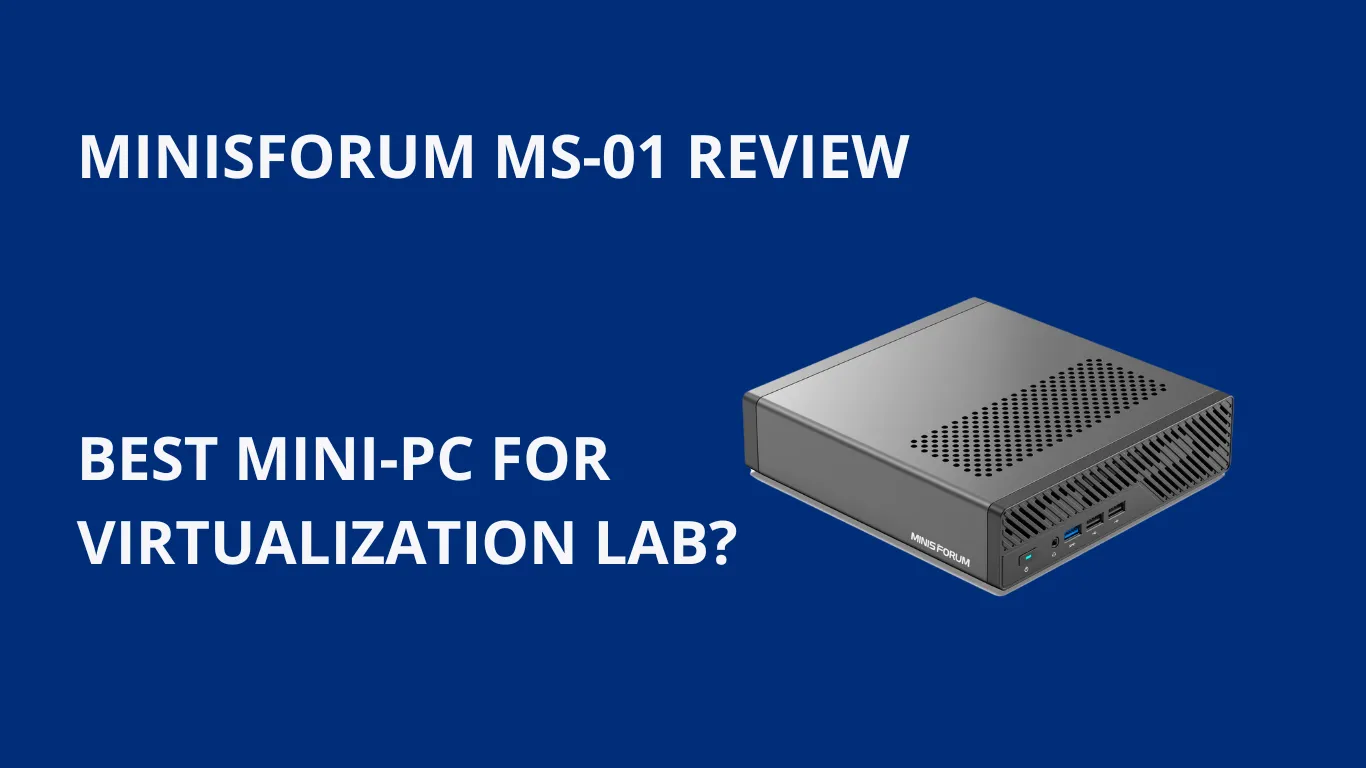
The Minisforum MS-01 is one of the most capable mini PCs I’ve tested for a homelab. It’s an excellent Proxmox/VMware node with plenty of RAM and a proper storage setup with 3× NVMe SSDs, exactly how I run mine (24/7). It ran hot for 18 months, with a logged CPU baseline of 82-88 °C, until I traced it to the Proxmox CPU governor rather than the small chassis. Switching from performance to powersave brought it down to 58 °C and cut the wall draw from 52W to 28W. After 1.5 years of continuous use, the SSDs still show just 1% wear and zero errors.
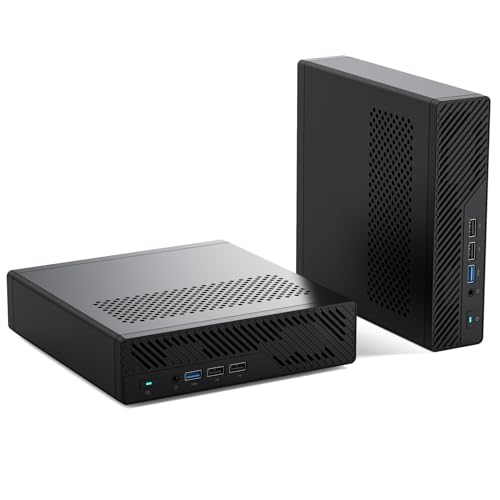
When I first tried the Minisforum MS01, I was immediately impressed by its solid build and thoughtful design. Although the case is larger than other mini PCs, it feels sturdy and well-ventilated. The power button and ports on the front are easy to access, which is a nice touch for quick connections.

I also appreciated the ample venting on the top and bottom, which helps the fans move air out of a very dense chassis.
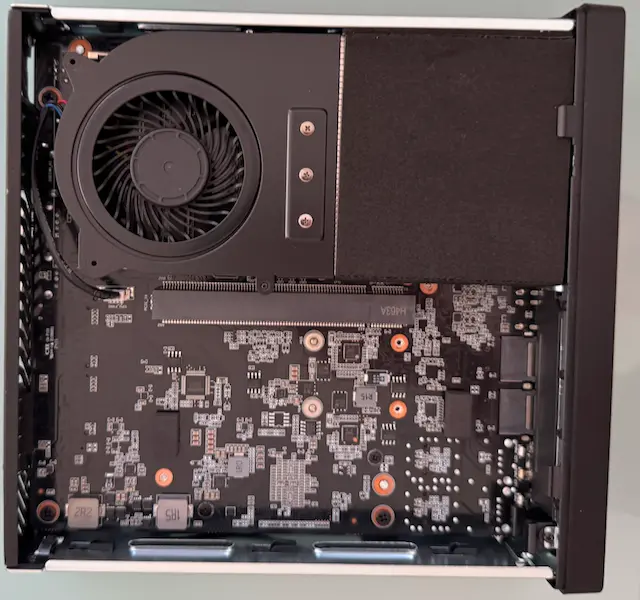
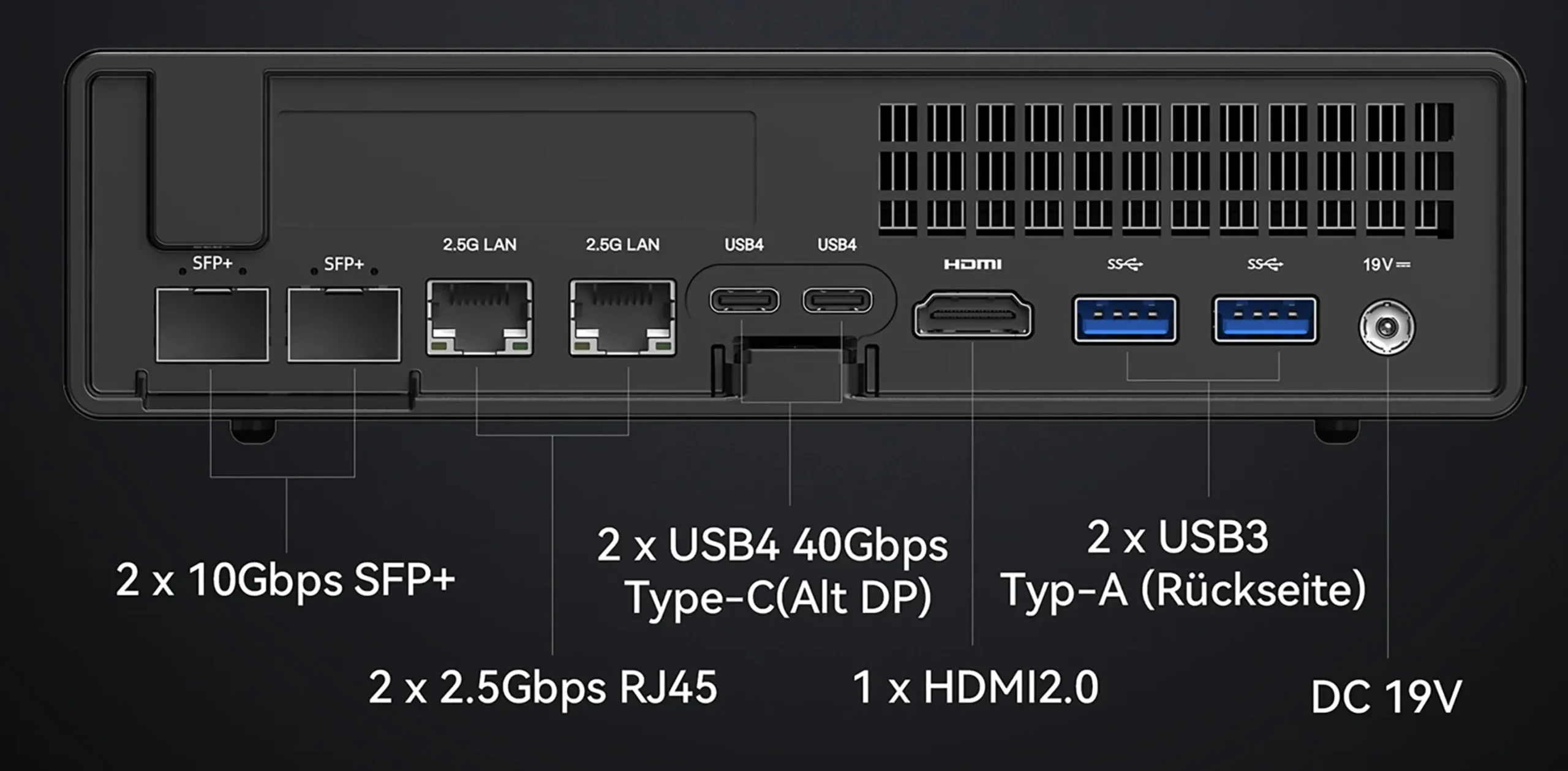
One of the standout features is the inclusion of dual SFP+ 10 GbE networking ports, which are quite rare in mini PCs. These ports are perfect for high-speed data transfers and network-intensive tasks. The Minisforum MS-01 is a tiny powerhouse, offering numerous expansion options, including a PCIe slot and multiple M.2 slots for SSDs, providing rock-solid upgrade flexibility.
The simple latch mechanism makes accessing the internal components easy, making it an excellent choice for customization, such as testing in a home lab.
Another impressive aspect is the Intel Core i9 processor, which promises strong performance for various tasks. Whether you’re using it for virtual environments with Proxmox or VMware or as a primary workstation, this computer meets all expectations.
My initial impressions were positive, and I was eager to explore its capabilities further.
The Minisforum MS01 shines when it comes to performance power.
One of the key features that caught my eye is the PCIe express slot. This single slot allows me to add a discrete graphics card or other expansion cards, which is rare for mini PCs. This means I can increase the system’s capabilities even further, making it perfect for tasks that require extra power, like video editing or gaming.
Another standout feature is the Intel Core i9 processor i9-13900H or i9-12900H (14 cores, 20 threads) with vPro support. This high-performance CPU handles demanding tasks with ease. Whether I’m running multiple virtual machines or working on heavy-duty applications, the MS01 keeps up without breaking a sweat.
The Minisforum MS01 stands out because of its impressive memory and storage options. This configuration is perfect for running multiple VMs simultaneously. It has two slots, but ECC memory is not supported.
According to the website, it supports up to 64GB of DDR5 RAM. However, I’m using mine with 2x48GB memory, totaling 96GB, without any issue. I use the Crucial Pro memory from Amazon.

We earn a commission if you make a purchase, at no additional cost to you.

We earn a commission if you make a purchase, at no additional cost to you.

We earn a commission if you make a purchase, at no additional cost to you.
For storage, the MS01 provides three M.2 slots for SSDs. I have never seen a mini-PC that supports three slots. The Minisforum website states that the maximum capability per slot is 2TB. However, some users on Reddit report that bigger drives are possible. It is essential to use a single-sided SSD drive.
M.2 Slots: Three M.2 NVMe SSD slots are available:
These features allow the MS-01 to support up to 24TB of SSD storage, meeting users’ needs requiring high-capacity and high-speed storage solutions.
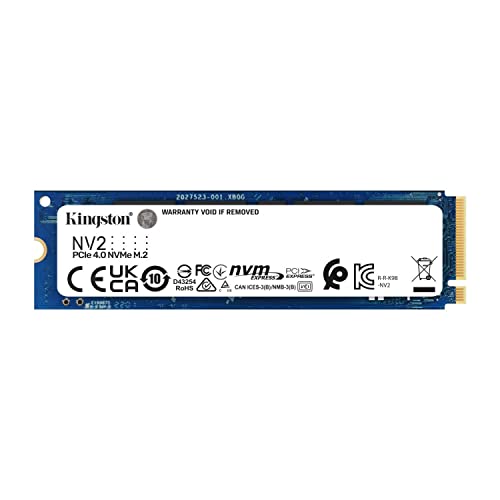
I installed 3 Lexar 790 SSD drives
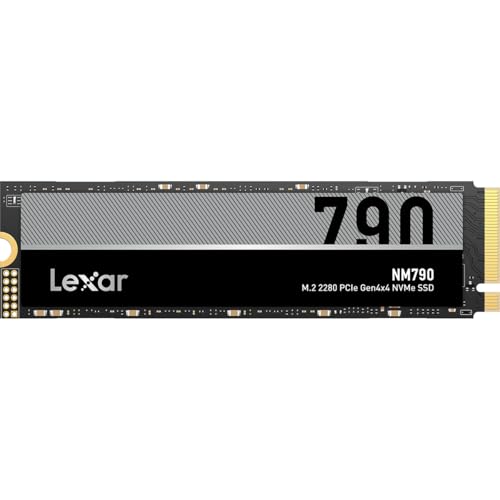
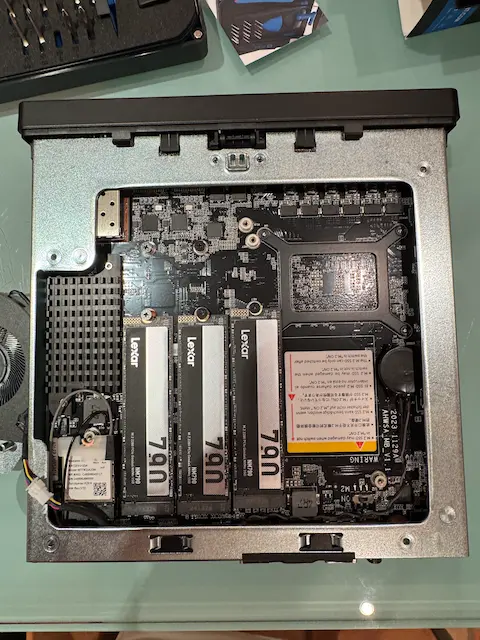
The Lexar NM790 SSD is a high-speed PCIe Gen4 NVMe drive with speeds up to 7,400/6,500 MB/s (read/write). However, in compact setups like the Minisforum MS-01, where PCIe lanes are shared, using all three M.2 slots can reduce the effective speed of each drive. This can impact overall performance for Proxmox or VMware configurations, especially in RAID setups where the slowest slot becomes the bottleneck. You should be aware of that. However, I think it’s not a big deal for a home lab or small business setup.
The Minisforum MS-01 stands out with its exceptional networking and connectivity options, making it an excellent choice for virtualization labs or small business environments.
One of the most impressive features is the inclusion of dual SFP+ 10 GbE ports. It is a rare find in a device of this size and price range, providing ultra-fast data transfer capabilities that are particularly beneficial for demanding networking tasks. For those looking to upgrade their home lab, these 10 GbE ports are a game-changer, allowing for rapid communication between virtual machines and networked devices.
In addition to the 10 GbE ports, the MS-01 is equipped with dual 2.5 GbE LAN ports, offering versatile options for connecting to different networks or devices. This variety ensures you can easily set up multiple network environments for testing, development, or day-to-day use. The ability to leverage both 10 GbE and 2.5 GbE connectivity makes the MS-01 a robust solution for anyone needing reliable and high-speed networking in a compact form factor.
Intel vPRO technology is supported on the Minisforum MS-01, offering robust hardware-level protection and seamless remote management capabilities. With Intel AMT, users can efficiently manage their systems from remote locations.
I use a dummy HDMI adapter, which allows the system to simulate a display, providing a perfect solution for headless setups and remote management scenarios. This feature is particularly beneficial for those operating in virtual environments. I use MeshCommander to access my Minisforum.
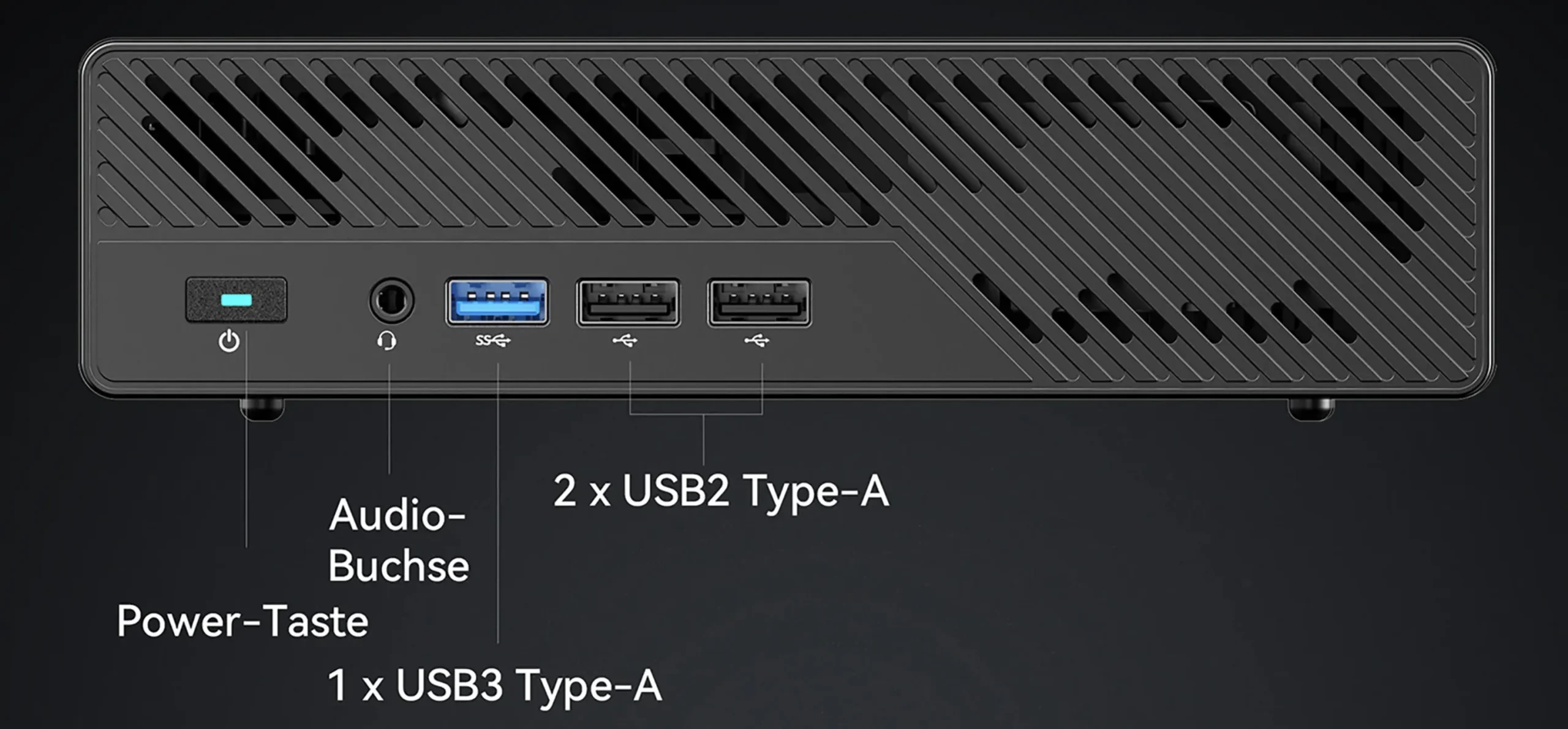
The device also features a thoughtfully designed front panel, which includes a power button, a headset jack, and several USB ports, making it convenient to connect frequently used peripherals. This design ensures that essential ports are within easy reach, enhancing the user experience.
To summarize the connectivity options, the Minisforum MS-01 supports:
These features make the Minisforum MS-01 a versatile and powerful tool for any virtualization lab or small business. The 10G SFP+ ports are a particular highlight for those seeking top-tier networking.
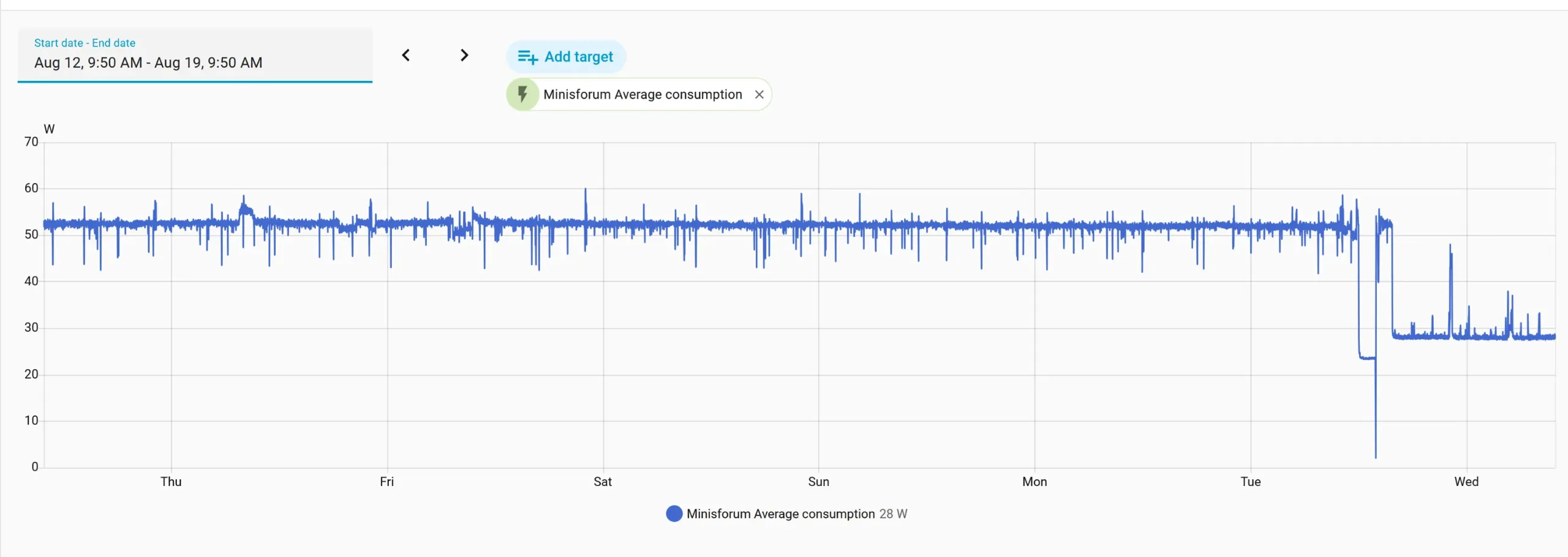
I did a quick reality check on what my Minisforum MS-01 Proxmox node costs to run in Switzerland.
I measure it with a metering smart plug (Home Assistant + myStrom). The node isn’t running heavy workloads yet, so treat this as a baseline / mostly-idle average — but it’s still a great reference if you’re comparing a mini PC to a tower server like my Dell PowerEdge T360.
My MS-01 build:
96GB RAM
3× Lexar SSD
Proxmox node (light workload right now)
Measured power draw (average): ~53W
Electricity price used: 0.2503 CHF/kWh
30-day math
0.053 kW × 24 hours × 30 days = 38.16 kWh/month
38.16 × 0.2503 CHF = 9.55 CHF/month (≈ 115 CHF/year)
In other words, for my usage, the MS-01 costs me under 10 CHF/month to run 24/7. And compared to a tower server that sits at ~100W+ idle, this can be roughly half the monthly power cost.
Update August 2026: these figures are out of date, and the correction is substantial. After changing the CPU governor from performance to powersave, the same node draws around 28W at the wall instead of 53W.
0.028 kW × 24 hours × 30 days = 20.16 kWh/month
20.16 × 0.2503 CHF = 5.05 CHF/month (≈ 61 CHF/year)
That is roughly 55 CHF a year saved on one box, with no hardware change. I explain how I found it in the long-term update further down.
The Minisforum MS-01 is compatible with VMware ESXi 8, making it a strong contender for virtualization tasks in a home lab or small business setting. However, some important considerations must be made when setting up VMware ESXi on this device.
One of the standout features of the Minisforum MS-01 is its robust network connectivity, which is fully supported by VMware ESXi 8. The device is equipped with:
All four of these network adapters are recognized and supported by ESXi 8 right out of the box.
The Minisforum MS-01 utilizes Intel’s Hybrid CPU architecture, including a mix of Performance (P) and Efficiency (E) cores. While this architecture offers a balance between power and efficiency, it introduces some challenges when running VMware ESXi:
The Minisforum MS-01 can run Proxmox. I have collected some issues from various forums and Reddit.
I cannot share these issues because of my experience. I have had no problem installing Proxmox. Even Vpro works perfectly. My Minisforum arrived with BIOS 1.22, and before installing Proxmox, I upgraded the Minisforum BIOS to 1.26
This mini PC handles both hypervisors well. Readers planning a full build should check my homelab setup guide for the network and storage pieces that go with it.
Here are some key pros and cons of the Minisforum MS-01 mini PC based on the review information:
A note on noise:
While it’s true that the MS-01 can get louder under sustained heavy loads — especially when using the PCIe slot or NVMe drives intensively — I was impressed by how quiet it is during idle or typical home lab workloads.
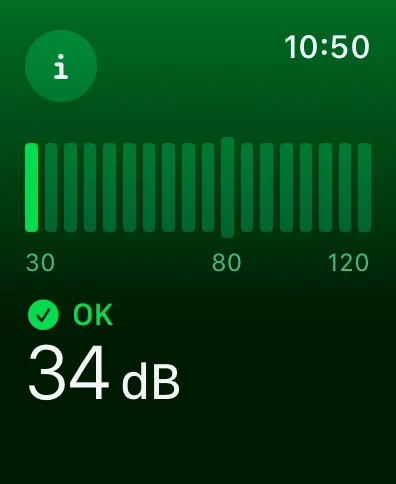
I measured around 34 dB at idle using the Apple Watch Noise app, making it quiet enough to sit in a home office or shared space without distraction.
If you’re optimizing for silence, my full guide to quiet home lab servers covers airflow tips, noise tweaks, and quiet server builds.
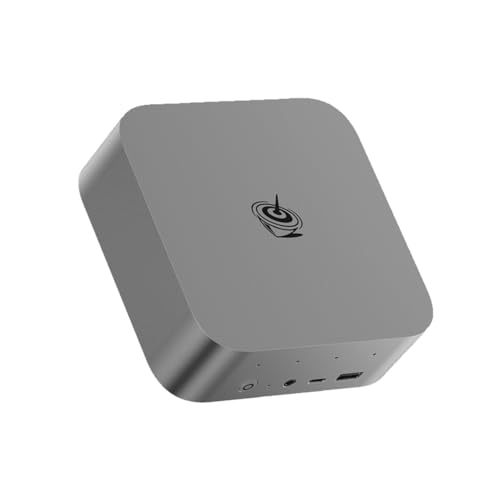
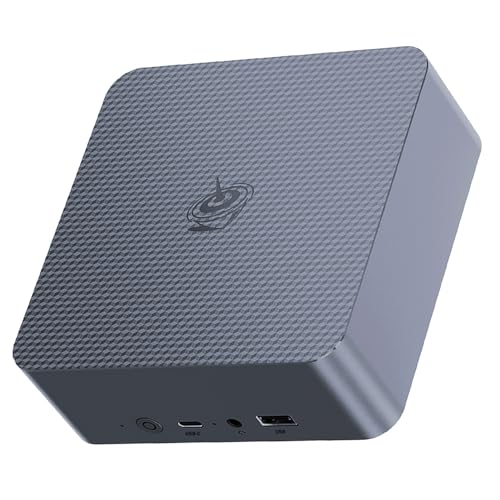
The Minisforum is initially offered as a barebone unit without RAM and a hard drive. There might be some deals available with some RAM already included, but I recommend buying the barebone version. I discovered that Amazon offers the best prices with free shipping.
Amazon offers a rack mount for two Minisforum ms 01. That’s pretty impressive and makes it convenient in a homelab rack.


The Minisforum MS-01 is also available new or used on eBay.
Minisforum has several competitors in the mini PC market. Some of the notable ones include:

These brands offer a variety of mini PCs that compete with Minisforum in terms of performance, price, and features, catering to different consumer needs and preferences.
I included a poll at the beginning of this article to see how readers would use the Minisforum MS-01. The results highlight what makes the Minisforum most appealing.
These results reaffirm that the Minisforum MS-01 isn’t just a compact system; it’s a serious homelab and virtualization powerhouse.
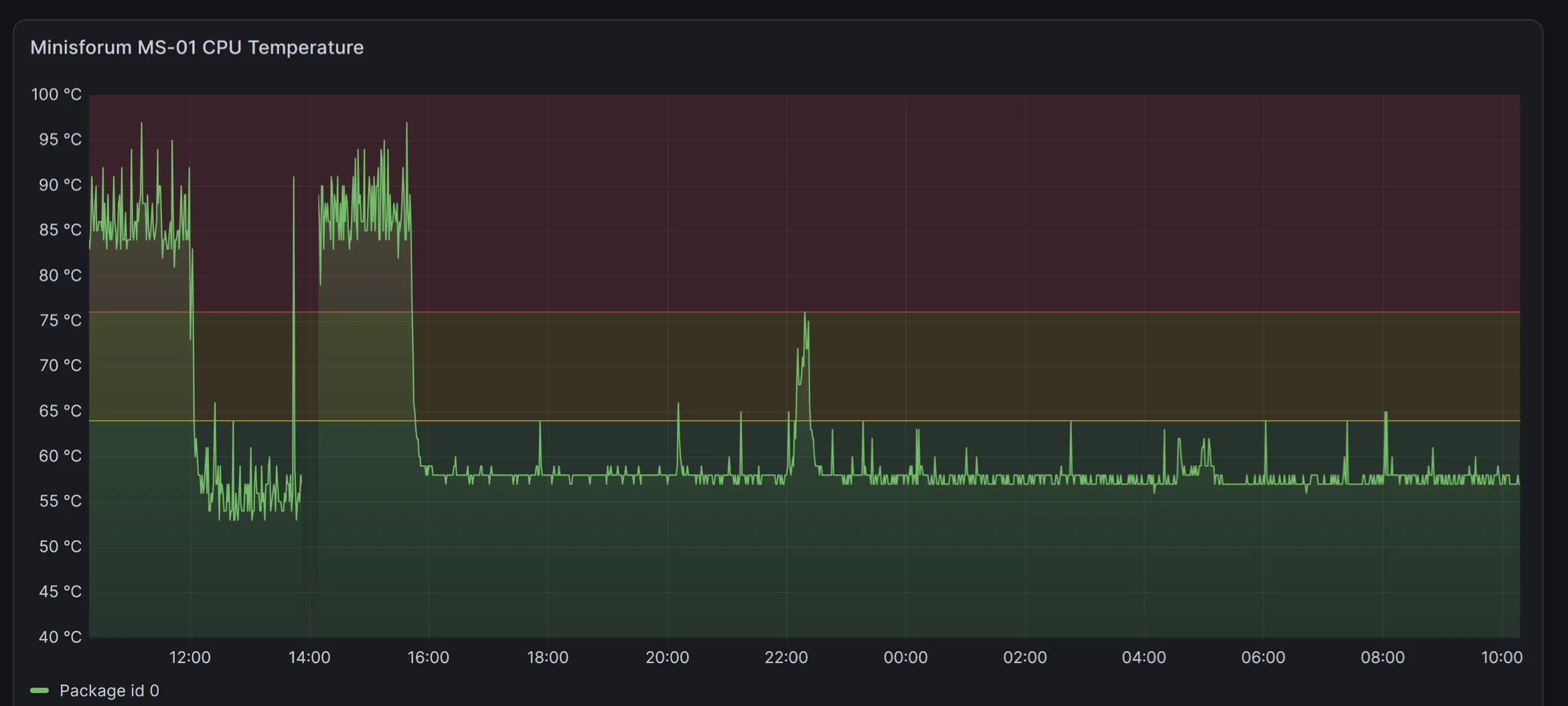
The CPU in my MS-01 runs hot. Not sometimes hot. Always hot.
The first time I checked, it sat in the mid-80s at low load with spikes into the 90s. I thought something was broken. I asked around and got the same answer every time: the case is tiny, and as long as it does not hit 100 degrees, you are fine.
I did not want to take that on trust, so I logged it in Grafana instead.
![Minisforum MS-01 CPU temperature over 30 days in Grafana, baseline 82 to 88 °C"]](https://edywerder.ch/wp-content/uploads/CPU-termerature.webp)
This is 30 days of Package ID 0 on my Proxmox node, running 24/7 with my mail VM. The baseline ranges from 82 to 88 °C. Spikes into the low 90s are routine, and I logged one peak that touched 100 °C.
The odd part is the case itself. It feels fine from the outside. Not hot, not even warm enough to make me look twice.
So the advice held up. It runs hot and stable, now for over a year and a half: no thermal shutdowns, no crashes, no throttling I noticed inside the VMs.
Intel rates the maximum junction temperature of the i9-13900H at 100 °C, so none of this is out of spec. But “in spec and healthy over five years” is not the same claim. That is the part I still cannot answer, so I keep logging.
That is what I believed for a year and a half. I was wrong.
I posted the 30 day graph above on r/Proxmox. Most replies pointed at the same three things: thermal paste, dust in the fans, and the fan curve. The MS-01 has a reputation for poor stock paste, and one reader reported dropping from 85 to 65 °C after a repaste.
Before opening the case I wanted to rule out the software side first.
I migrated every VM off the node and measured it empty. 54 °C, drawing 10W at the package. So the cooler does its job when there is nothing to do.
Then I checked the BIOS over the vPro remote KVM, so I never had to connect a monitor. C states were already enabled. The package C state limit was unlimited. SpeedStep and Speed Shift were both on. Nothing was misconfigured.
Back in Proxmox with the VMs running, turbostat showed 91 °C average and 30W package power at four percent CPU utilization. That is a lot of heat for very little work.
The cause was the CPU governor. Proxmox was running performance, which pins the minimum clock to the maximum. My cores were sitting at high frequencies around the clock, doing almost nothing.
echo powersave | tee /sys/devices/system/cpu/cpu*/cpufreq/scaling_governor

for c in /sys/devices/system/cpu/cpu*/cpufreq/energy_performance_preference; do echo balance_power > $c; done
Run them in that order. With intel_pstate the performance governor locks the energy performance preference, and the second command fails with a device or resource busy error until the governor is changed first.
I measured again twenty minutes later, with the same VMs running.
The trade is real. CPU utilization went from four to seven percent because the same work takes longer at lower clocks. The maximum remains unchanged, so turbo is still available when needed. Only the idle floor moved.
One correction to what I wrote above. Intel rates the maximum junction temperature of the i9-13900H at 100 °C, but the MS-01 BIOS applies a Tcc activation offset of 10. My actual throttle point is 90 °C, and the turbostat confirms it. So those readings in the low 90s were at the limit, not comfortably below it.
The setting doesn’t survive a reboot, so I set it at boot using a small systemd unit.
So the heat was my configuration, not the chassis. I still have not tried a repaste, and it may bring the numbers down further. But I nearly opened a machine that had nothing wrong with its cooling.
I’ve now been running my Minisforum MS-01 24/7 for 1.5 years as part of my Proxmox VE cluster.
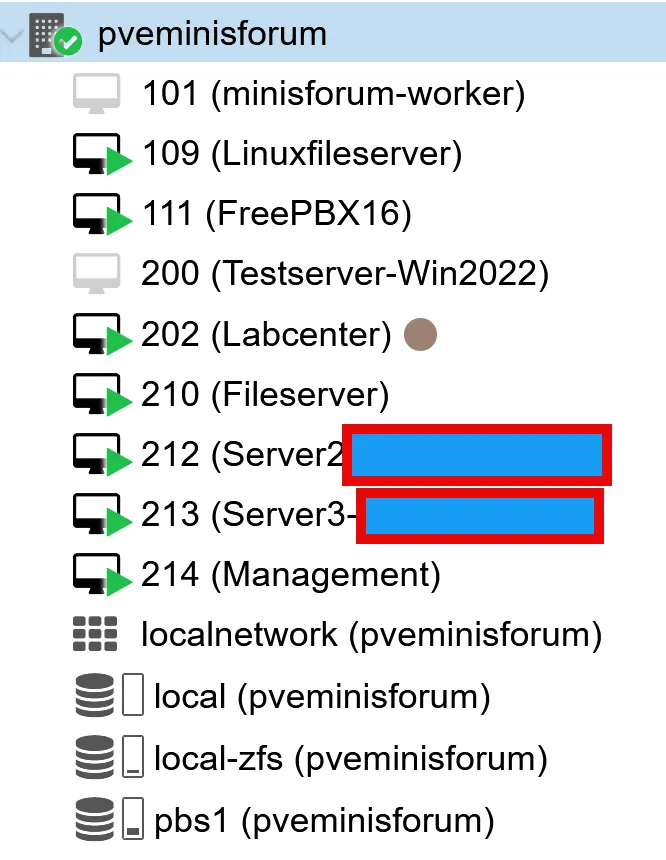
For context, this MS-01 isn’t idle. It hosts multiple always-on VMs in my lab.
Since the box is packed with three Lexar NM790 4TB NVMe SSDs, I wanted to check two things:
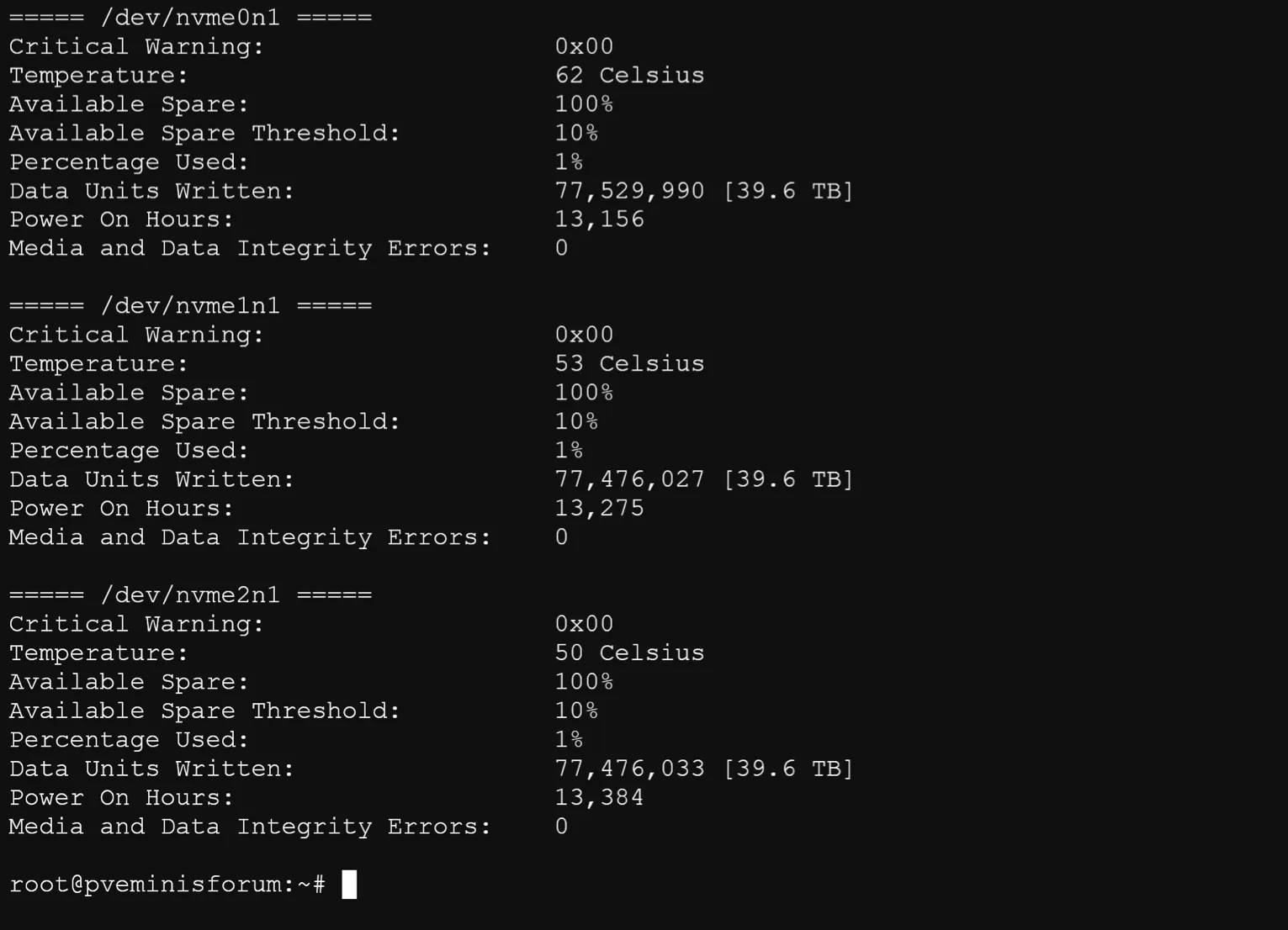
I pulled SMART data directly from Proxmox using smartctl. Here are the current readings under typical day-to-day load:
| NVMe Device | Temp | Sensor 1 | Sensor 2 | Power-On Hours | Data Written | Wear (Percentage Used) |
|---|---|---|---|---|---|---|
| /dev/nvme0n1 | 48°C | 48°C | 47°C | 8,300 | 21.5 TB | 0% |
| /dev/nvme1n1 | 56°C | 56°C | 44°C | 8,217 | 21.5 TB | 0% |
| /dev/nvme2n1 | 45°C | 45°C | 47°C | 8,373 | 21.5 TB | 0% |
Update — 1.5 Years In (Jul 2026): I checked again after another six months of continuous uptime.
| NVMe Device | Temp | Sensor 1 | Sensor 2 | Power-On Hours | Data Written | Wear (Percentage Used) |
|---|---|---|---|---|---|---|
| /dev/nvme0n1 | 61°C | 61°C | 51°C | 13,156 | 39.6 TB | 1% |
| /dev/nvme1n1 | 52°C | 52°C | 51°C | 13,275 | 39.6 TB | 1% |
| /dev/nvme2n1 | 51°C | 51°C | 54°C | 13,384 | 39.6 TB | 1% |
Note: I’m not using thermal pads on these NM790 drives; these temps are in my real setup.
Few quick takeaways:
The hottest drive is now /dev/nvme0n1 at 61°C. That’s warmer than the original readings, likely due to higher summer ambient temps. The other two drives sit lower, at 51–52°C.
All three drives now show roughly 13.1k–13.4k power-on hours. That still matches the “always-on” use case.
Each SSD has now written about 39.6 TB. The NVMe wear indicator has moved from 0% to 1% used.
Follow-up note:
That 1% figure is still very low for a year and a half of 24/7 operation. NVMe wear indicators are normalized to the drive’s rated endurance. So 1% used means these Lexar NM790s have burned through roughly one-hundredth of their total rated write lifespan, despite nearly 40 TB written and 13,000+ hours of uptime. Combined with 100% available spare and zero data integrity errors, these numbers are still very reassuring for a compact mini PC with three NVMes stuffed inside.
If you’re using NVMe SSDs in a NUC-style form factor — especially for ZFS, 24/7 operation, or in a Proxmox cluster — keep an eye on temperatures. Passive cooling may be a worthwhile consideration for heavier workloads.
Additionally, I’d be careful with very cheap NVMe SSDs in always-on/ZFS setups. Sustained writes can trigger significant slowdowns or thermal throttling — something you’ll notice during scrubs, backups, zfs send/receive, or migrations. That said, not every DRAM-less SSD is a bad choice: my DRAM-less Lexar NM790 (HMB) drives have been running ~1 year with ~21.5 TB written and 0% wear reported.
I still run the MS-01 as a Proxmox node, and I would buy it again.
The hardware has been reliable: no crashes, no failed components, no thermal shutdowns. Dual SFP+ 10 GbE plus dual 2.5 GbE in this size is still hard to find anywhere else, and that connectivity is the main reason I chose it.
I run 96GB of RAM, though Intel only lists 64GB as supported. It has been stable the whole time.
Two things I didn’t expect to matter, but now do.
The first is vPro. I used the remote KVM to change a BIOS setting without connecting a monitor or standing in front of the machine. For a headless node, that is genuinely useful, and it is not something most mini PCs offer.
The second is power management. I ran this box at 85 °C for a year and a half and assumed the small chassis was the reason. It was not. The Proxmox CPU governor was set to performance, and changing it dropped the temperature to 57 °C and the wall draw from 52W to 28W. That is under 61 CHF a year to run in Switzerland. If you buy one, check that setting before you draw any conclusions about the cooling.
The MS-01 costs more than most mini PCs. If you only need a small box for a few containers, there are cheaper options, and I would point you to those. If you want 10 GbE, a PCIe slot, and room for three NVMe drives in a shelf-sized form factor, I haven’t found a better option.
I would not call it silent. The fans ramp up under load, and you hear them.
The MS-03 is now available on Amazon. It keeps the dual 10G SFP+ ports and adds a 10G RJ45 port in place of one of the 2.5G ports, making 10 GbE copper easier without transceivers. I have not tested it, so this is not a recommendation. I am staying on the MS-01 for now, since chip and SSD prices are high and my node does what I need. The MS-03 is on my list for next year, though it would also mean upgrading my switch to 10 GbE, and that is the higher cost.
I’d love to hear from you. Was this article helpful? Share your thoughts in the comments below. If you prefer, you can also reach me by email or connect with me on Reddit at Navigatetech.
If you found the Minisforum MS-01 review insightful, you’ll definitely want to check out Homelab Ideas: 25 Real Projects to Start and Grow Your Home Lab. It’s packed with practical project ideas to put a mini PC like the MS-01 to work in your own setup.
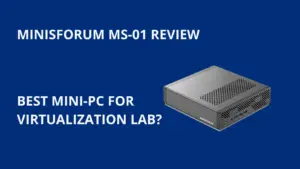
In-depth review of the Minisforum MS-01 mini-PC. Covers specs, performance, thermals, noise levels, and expandability for homelab and virtualization use.
Product SKU: MS-01
Product Brand: Minisforum
Hi, I'm Edy Werder. I write hands-on guides about servers, virtualization, NAS and WordPress, based on setups I run in my own homelab. Real configs and real results, no fluff.
Enjoying the content?




Excellent review Eddy…. Indepth and clear!