By Edy Werder, a tech blogger with 20 years of experience in IT infrastructure
Have you ever wondered what NAT is and when to configure NAT on FortiGate firewalls? In this article, I want to explain what NAT is and when you need to configure it. Perhaps you have the same question as I did when starting with a Fortigate firewall. There is a toggle to turn NAT on for firewall policies, but when should I turn it on?
First, I would like to explain some basics about NAT to you.

Network Address Translation (NAT) is a fundamental concept in networking, especially when configuring a FortiGate Firewall. Essentially, NAT acts as a translator, converting the private IP addresses used within your local network into public IP addresses that can communicate over the internet.
Let’s break it down:
In simple terms, NAT in FortiGate Firewall Configuration ensures your network stays safe and secure while allowing your devices to communicate effectively with the outside world. It’s an essential feature for beginners learning to set up and manage their FortiGate firewall.
Static NAT and Source NAT are two distinct types of Network Address Translation (NAT) techniques used in networking to manage the translation of IP addresses between private and public networks. Here’s an overview of each:
Static NAT, also known as one-to-one NAT, involves mapping a specific private IP address to a corresponding public IP address on a one-to-one basis. In other words, it establishes a fixed relationship between an internal IP address and an external IP address. Static NAT is typically used when an internal device, such as a server or a network appliance, needs to be accessible from external networks.
Critical features of Static NAT include:
Source NAT (snat), also known as outbound NAT or PAT (Port Address Translation), involves translating the source IP address of outgoing packets from private IP addresses to a single public IP address before they leave the network. Unlike Static NAT, which focuses on inbound traffic, Source NAT primarily deals with outgoing traffic initiated by devices within the internal network.
Key features of Source NAT include:
In summary, Static NAT is used for inbound access to specific internal resources, while Source NAT is used for outbound traffic from internal devices to the internet. Both techniques are crucial in managing network communication and ensuring secure and efficient data transfer between private and public networks.
Network Address Translation (NAT) is typically not required for internal traffic between VLANs when each VLAN is assigned a different subnet. NAT is primarily used for translating IP addresses between private and public networks or between different address realms within the same network.
When VLANs are assigned different subnets, each VLAN operates within its own IP address space. Traffic between devices within the same VLAN can communicate directly without needing address translation, as they share the same subnet and can route traffic based on their subnet masks.
Similarly, when traffic needs to traverse between VLANs with different subnets within the same internal network, routers or Layer 3 switches handle the routing process. These devices use routing tables to determine the appropriate path for forwarding traffic between VLANs based on their IP addresses and subnet configurations.
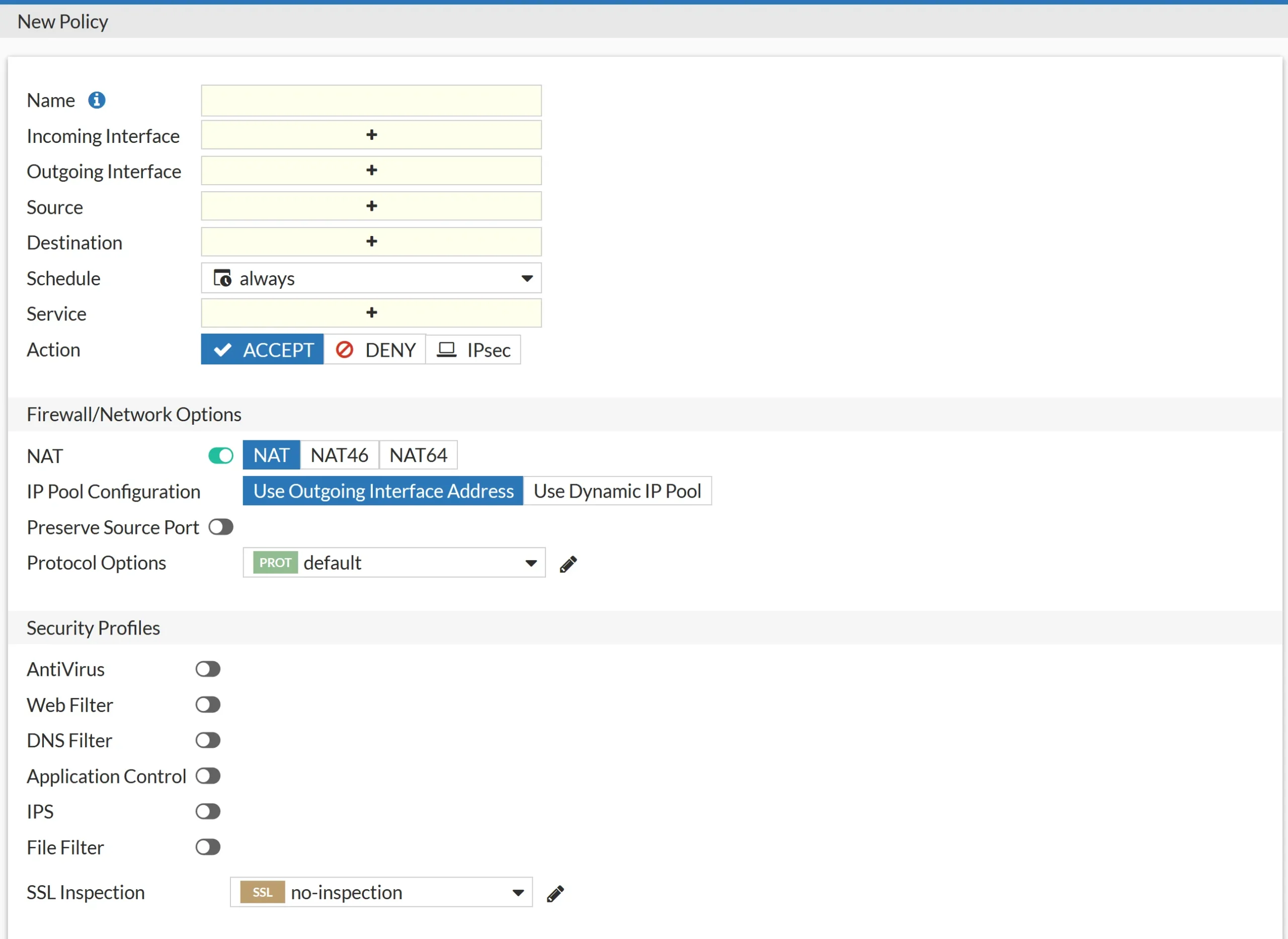
Configuring NAT on the FortiGate Firewall is pretty straightforward. There are several ways, the most common of which is through a firewall policy.
NAT46 allows for the translation of IPv4 addresses to IPv6 addresses and vice versa. It enables communication between IPv4-only and IPv6-only networks by performing address translation at the network.
NAT64 performs the translation of IPv6 addresses to IPv4 addresses and vice versa. It enables communication between IPv6-only and IPv4-only networks by facilitating address translation between the two protocols.
Another way to configure Nat on Fortigate Firewall is virtual IPs. or IP pools.
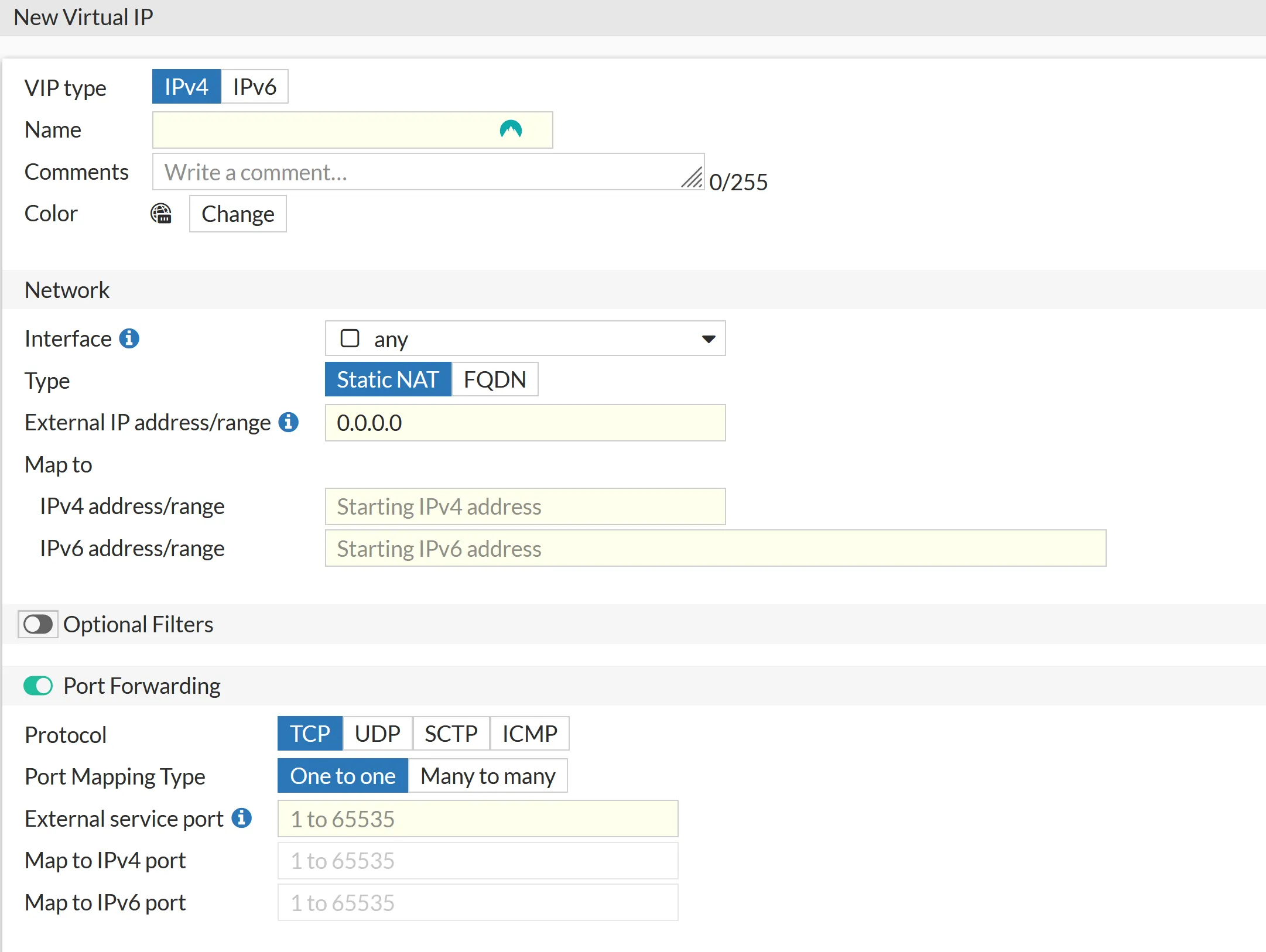
Virtual IPs (VIPs) or port forwarding is a form of Network Address Translation (NAT).
In the context of FortiGate firewalls, Virtual IPs allow you to map external IP addresses and ports to internal servers or services. This mapping enables incoming traffic destined for a specific external IP address and port to be forwarded to a corresponding internal IP address and port.
This process involves translating the destination IP address and port of incoming packets from the external IP address to the internal IP address, allowing external users to access internal resources hosted behind the firewall.
Virtual IPs are typically used to forward ports like 80,443,21 and so on to an internal server.
featured blog

Hardware and Software to Keep Your Network Secure
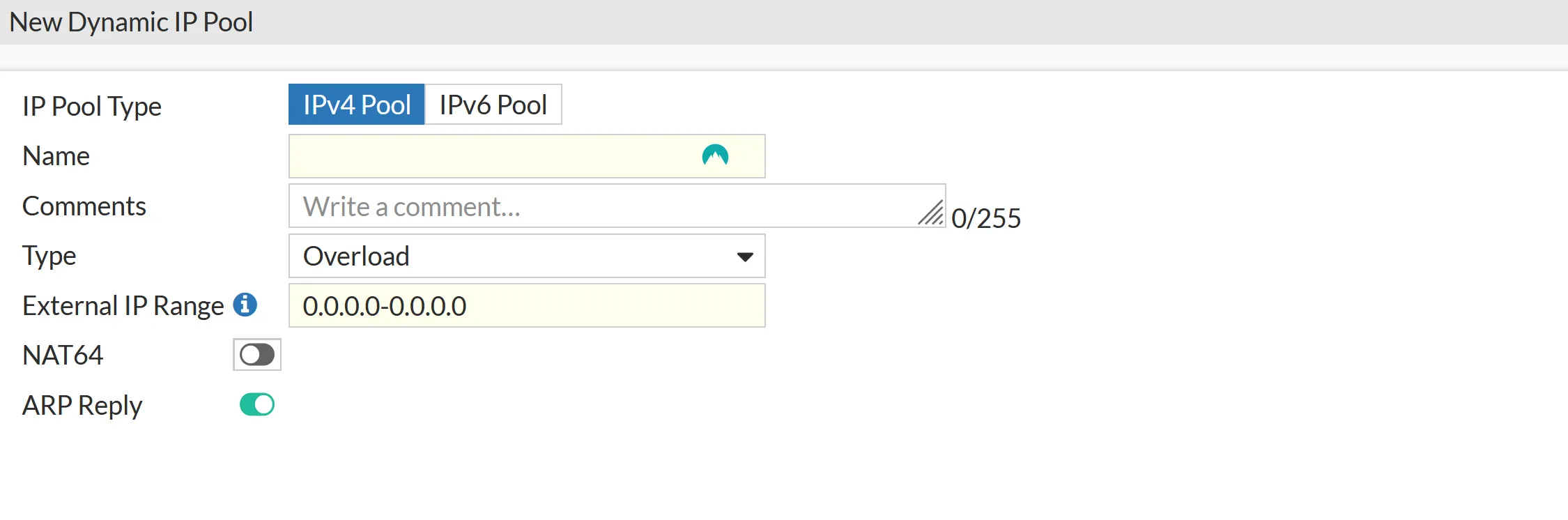
IP Pools in FortiGate are used for dynamic Network Address Translation (NAT) translation for outbound traffic. They allow you to define a pool of public IP addresses that can be dynamically assigned to internal hosts when they initiate outbound connections to external networks. Here’s how IP Pools are commonly used in FortiGate:
I would love to get some feedback from you. Was this article helpful? Please share your opinion with me in the comment section below. Or, if you prefer a more personal touch, feel free to email me directly at info@edywerder.ch. Your thoughts and insights are always appreciated.
After diving into the intricacies of configuring NAT on a FortiGate Firewall, you might be interested in expanding your network setup skills further. I recommend checking out this guide on configuring VLANs with Proxmox. It’s a great follow-up for those looking to enhance their virtualized environment, offering practical insights into VLAN setup that complements your newly acquired NAT configuration knowledge. This step-by-step tutorial will ensure you have a robust and efficient network infrastructure in place.
Hi, I'm Edy Werder. I write hands-on guides about servers, virtualization, NAS and WordPress, based on setups I run in my own homelab. Real configs and real results, no fluff.
Enjoying the content?