
By Edy Werder, a tech blogger with 20 years of experience in IT infrastructure
When I built my home lab, the server was only the first decision. The harder one was picking the best hypervisor for home lab use. It has to balance performance, ease of use, cost, and community support. So I tested five popular options: Proxmox VE, VMware ESXi, Microsoft Hyper-V, XCP-ng, and VirtualBox.
Editor’s note (updated October 2026): I updated the VMware section for Broadcom’s current licensing, refreshed the FAQ, and cleaned up the pros and cons based on my current setup.
For most home labs, the best hypervisor is Proxmox VE. It’s free, open source and type 1 (bare metal), with a good balance of performance, features and community support. Choose VMware ESXi only if you need VMware skills for your job. Pick Hyper-V if you already work on Windows, XCP-ng if you want a fully open source Xen stack, and VirtualBox for quick desktop tests rather than always-on use.
In this article, I’ll share my hands-on experience with each one, including what worked, what didn’t, and which setup I personally use. Whether you’re new to virtualization or looking to upgrade your home lab stack, this guide will help you make a smart, future-proof choice.
Before you pick a hypervisor, check these five things:
Not sure yet whether you want to run everything on a single virtual machine or keep physical machines separate? My guide on what a virtual homelab is will help you figure that out before picking a hypervisor.
Not all hypervisors are created equal, especially when running them in a home environment. Here are the key criteria I consider when choosing a home lab hypervisor:
This might sound odd, but noise and power matter. If a hypervisor nudges you toward enterprise-grade hardware, it won’t feel great in a quiet apartment home lab.
Compare the most popular home lab hypervisors and assess their relative strengths.
| Hypervisor | Free version | Snapshots | Web UI | Community Support | Enterprise Use | Learning Curve |
|---|---|---|---|---|---|---|
| Proxmox VE | ✅ Yes | ✅ Native | ✅ Modern | ✅ Strong | ✅ Growing | ⚠️ Medium |
| VMware ESXi | ⚠️ Limited | ⚠️ Paid tools | ✅ Mature | ✅ Medium | ✅ Widely used | ⚠️ Medium-High |
| Hyper-V | ✅ Yes (Windows) | ✅ Checkpoints | ⚠️ Windows-only | ⚠️ Less active | ✅ In enterprise | ✅ Easy for Windows users |
| XCP-ng | ✅ Yes | ✅ Native | ⚠️ Basic | ⚠️ Niche | ⚠️ Niche | ⚠️ CLI-heavy |
| VirtualBox | ✅ Yes | ✅ Yes | ❌ GUI only | ✅ Very active | ❌ Not common | ✅ Beginner-friendly |
Proxmox VE is the best all-round hypervisor for most home labs: free, type-1, with clustering, snapshots, and built-in backup.
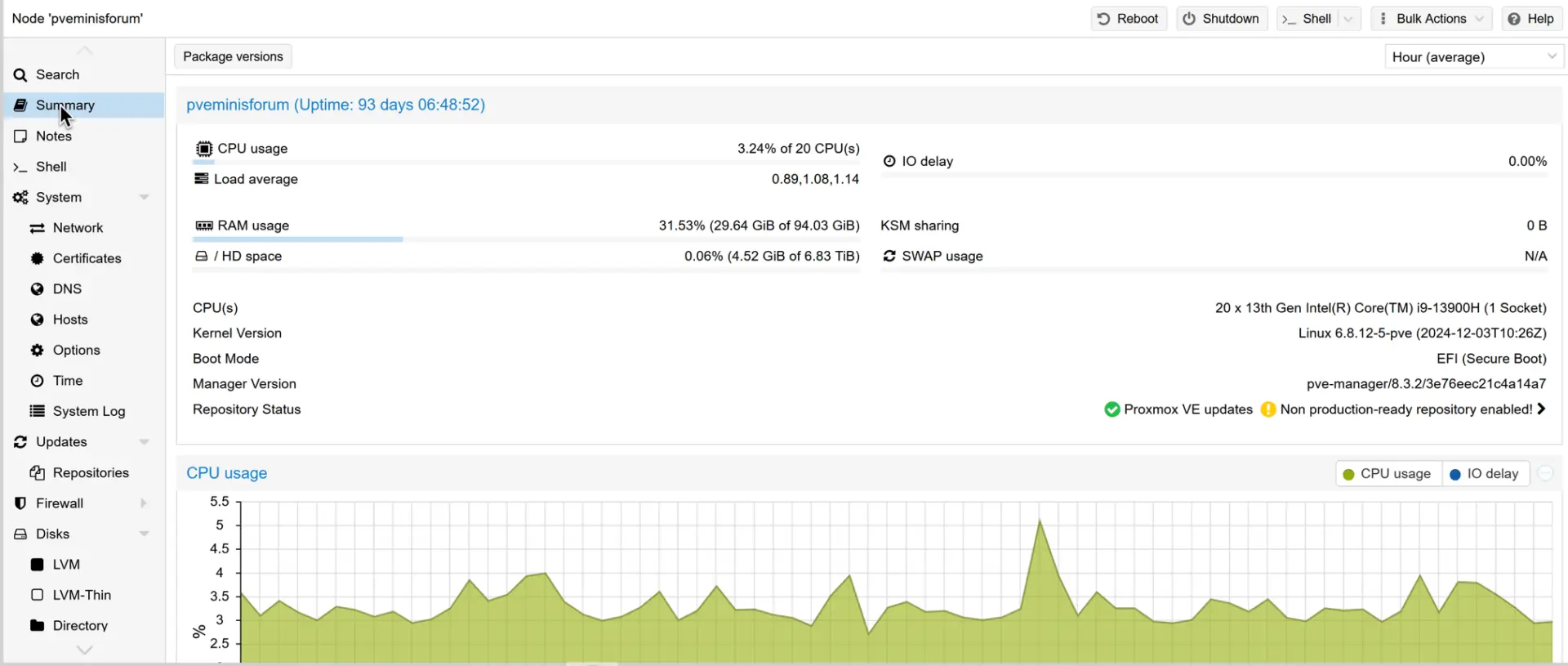
Pros:
Cons:
If you’re running Proxmox, here’s how to set up the equivalent of VMware Tools.
My take: If you’re serious about your home lab, Proxmox VE is arguably the best hypervisor for home lab environments in 2026. It runs great on low-power devices and offers full control without vendor lock-in.
If you’re planning to scale your setup, Proxmox VE supports clustering, shared storage, and high availability—even in a home lab environment. That’s rare for a free hypervisor.
Want a deeper comparison? Read my take on Proxmox vs ESXi.
VMware ESXi is the choice for enterprise-grade and vSphere familiarity, but Broadcom’s licensing changes make it a harder sell for home use
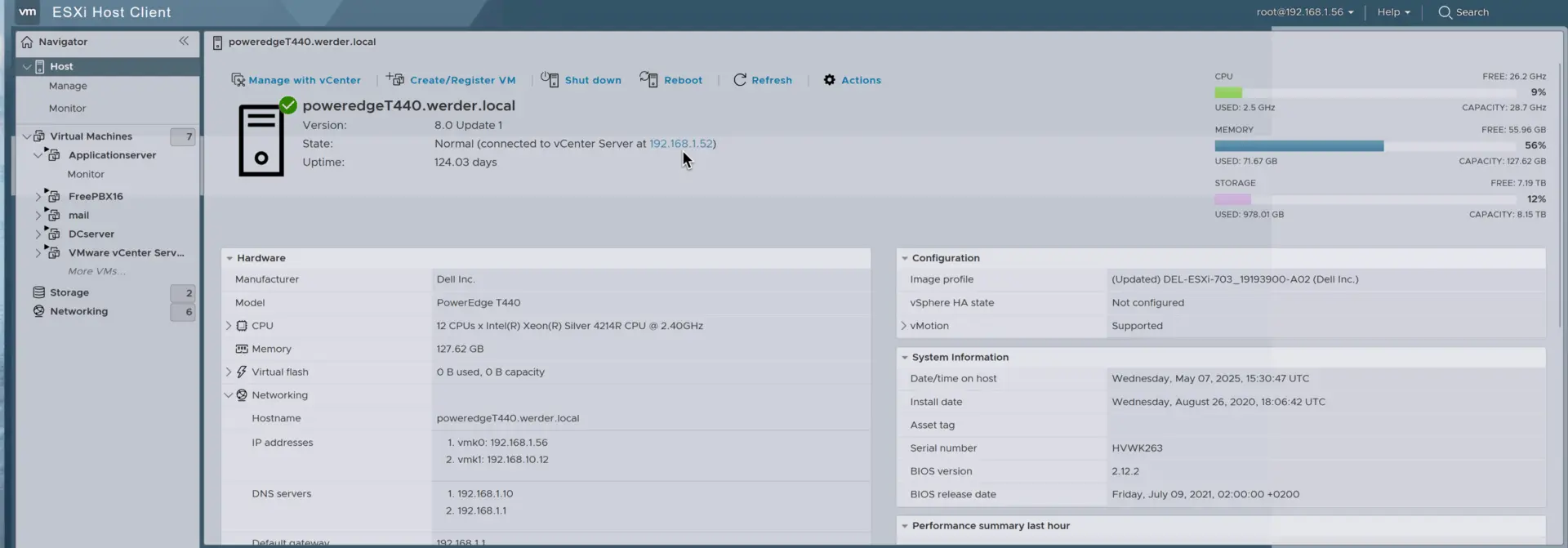
Pros:
Cons:
For VMware enthusiasts, the VMUG Advantage subscription used to be the way into a full lab. Since November 2024, that’s no longer enough. Broadcom now also requires a VCP-VCF or VCP-VVF certification to get the NFR licenses for vSphere, vCenter or vSAN. It feels like home lab users testing VMware products are no longer welcome.
My take: I used to run VMware ESXi on one node to stay familiar with it. Today that node runs Proxmox too. For most home lab users, the limited free version and Broadcom’s licensing direction make ESXi a hard sell in 2026. A full VMware lab now needs both VMUG Advantage and a VCP certification. So why is ESXi still on this list? If you work with VMware at your job, a home install is still a good way to practice. Many VMware admins already have a VCP certification through work, which makes VMUG Advantage a realistic path to a full lab. For everyone else, I’d start with Proxmox.
Microsoft Hyper-V is the pick if you’re already on Windows, but it’s not my first choice for a dedicated homelab box.
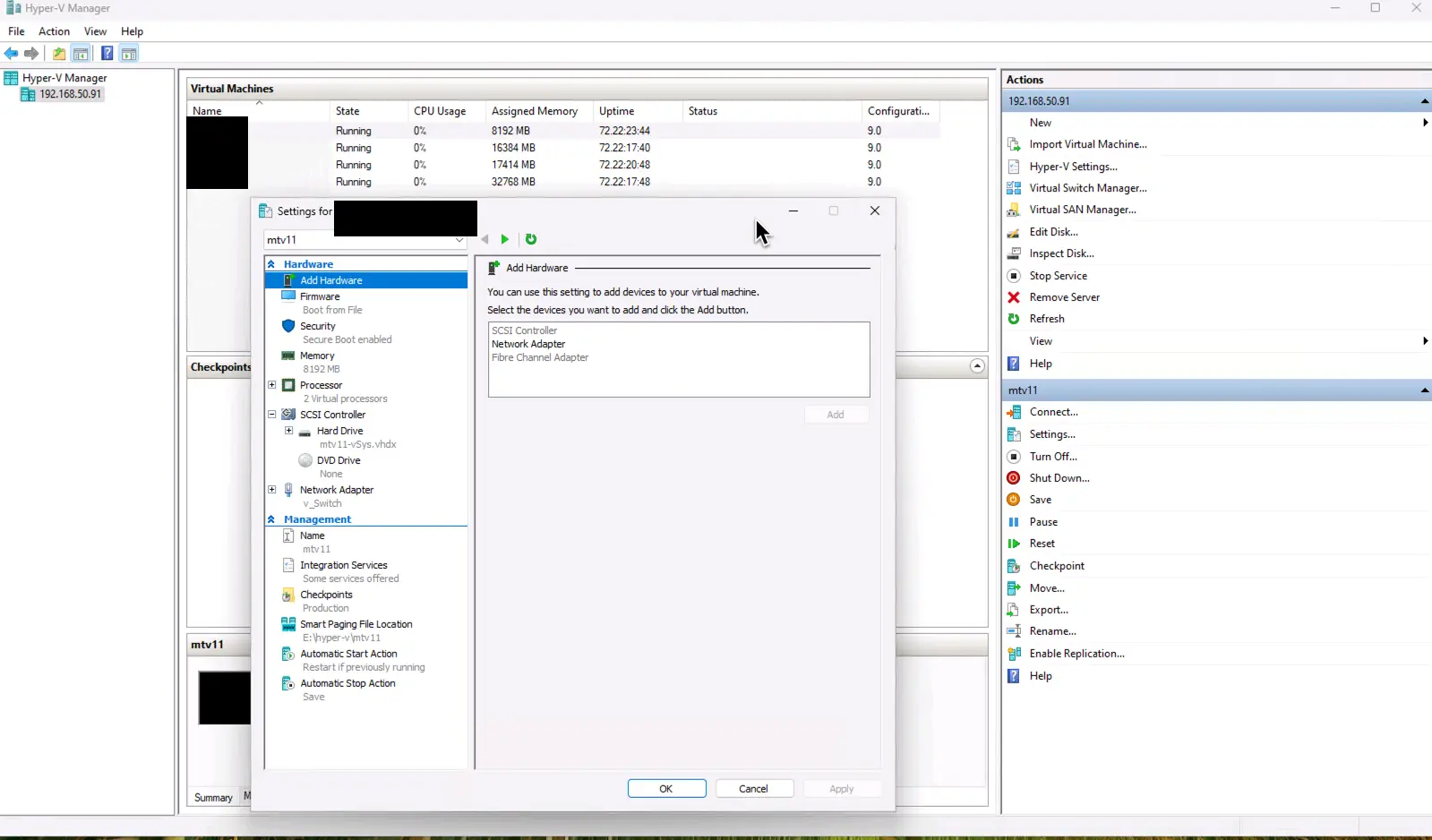
Pros:
Cons:
My take: Hyper-V is a good starting point if you already use a Windows-based system. It works well for basic virtual machines and Windows workloads, but it’s not my top pick for a dedicated home lab server.
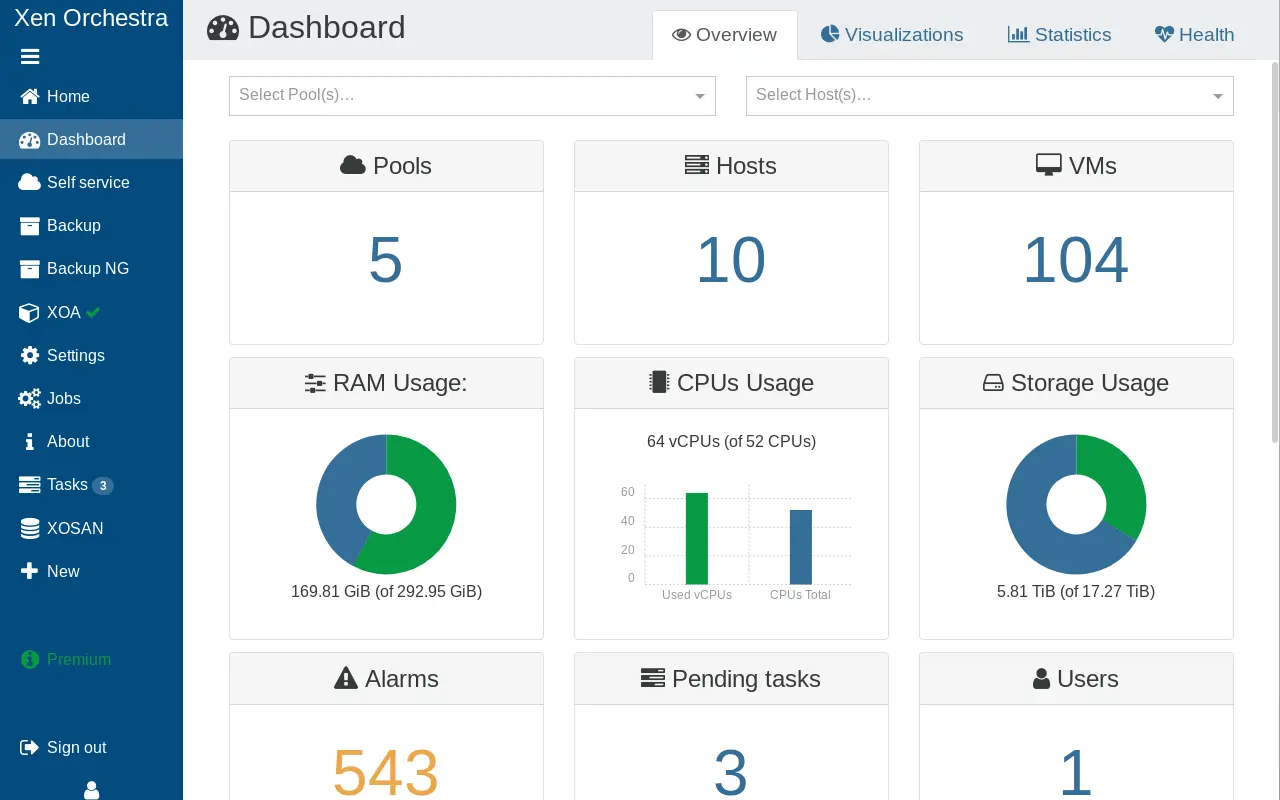
XCP-ng is the best open-source option if you prefer Xen over KVM with enterprise features, no licensing, and a slightly steeper setup.
Pros:
Cons:
My take: XCP-ng is a great choice if you prefer Xen over KVM. It gives you enterprise features in a free package, without licensing costs. It’s less user-friendly than Proxmox, but very solid.
Strictly speaking, VirtualBox isn’t a bare-metal hypervisor. It runs on Windows/macOS/Linux, making it perfect for fast VM experiments, but it’s not ideal as the core of a 24/7 home lab server.
Pros:
Cons:
My take: It’s fine for testing or learning, but not as the core hypervisor of a home lab server. VMware Workstation Pro is free too now. For quick tests, I still prefer VirtualBox.
featured blog
A Complete Buying Guide
Hypervisors generally fall into two categories: bare metal (Type 1) and hosted (Type 2). Proxmox VE, VMware ESXi, Microsoft Hyper-V, and XCP-ng are bare metal hypervisors. They run directly on your server hardware, with no host operating system in between, for maximum performance and isolation.
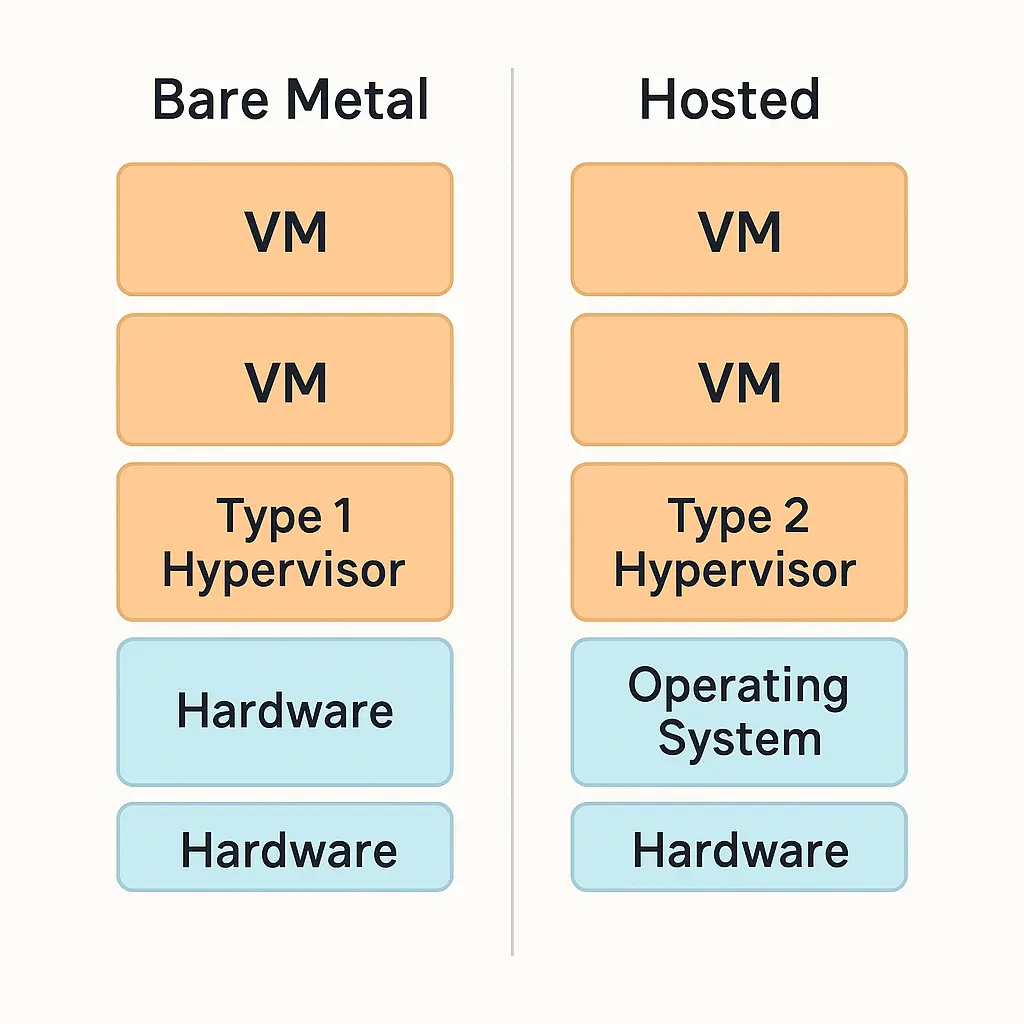
VirtualBox is a hosted hypervisor. It runs on top of an existing OS and suits desktop testing better than full-time home lab use. VirtualBox itself is free and open source. Only the optional Extension Pack has a personal-use license.
For most home labs, I recommend using a bare-metal hypervisor for better reliability and performance.
Want the full explanation? I cover the differences in detail in my article on hypervisor Type 1 vs Type 2.
For most home lab users, I recommend Proxmox VE. It gives me flexibility, power and ease of use, without VMware’s licensing headaches. On low-power, quiet hardware like mine, it’s lightweight and efficient. Proxmox runs full VMs with KVM and lightweight containers with LXC, so it covers almost any home lab workload.
Looking for something that won’t disturb your workspace? Check out my guide to quiet servers for a home lab.
That said, I understand why some people prefer VMware, Hyper-V, or XCP-ng, especially to simulate their work environment. I tried several before I settled on Proxmox, and I’d recommend the same.
If you’ve decided on Proxmox, here’s my guide to the best mini PC for Proxmox to get started
I suggest selecting multiple hypervisor options for your home lab. Most people choose the hypervisor they use at work because it is familiar, but learning an additional one is a significant advantage.
Happy virtualizing!
Once your hypervisor is sorted, the next piece is securing the network around it. I cover the options in my guide to the best homelab firewall, including running one as a VM.
I’d love to hear from you. Was this article helpful? Share your thoughts in the comments below. If you prefer, you can also reach me by email or connect with me on Reddit at Navigatetech.
Hi, I'm Edy Werder. I write hands-on guides about servers, virtualization, NAS and WordPress, based on setups I run in my own homelab. Real configs and real results, no fluff.
Enjoying the content?