
By Edy Werder, a tech blogger with 20 years of experience in IT infrastructure
If you’re setting up Redis object cache on your WordPress site and using Cloudflare, you might run into a confusing error:
“Error establishing a Redis connection: WRONGPASS invalid username-password pair or user is disabled.”
This issue can appear even if your credentials are correct, Redis is reachable, and your configuration in wp-config.php looks perfect. I encountered this firsthand while configuring Redis object cache on a VPS with xCloud, and the root cause turned out to be Cloudflare’s proxy feature.
Redis Object Cache speeds up WordPress websites by storing frequently accessed data, like database queries and API responses, in memory instead of constantly querying the database. Redis is an in-memory key-value store, and when used as an object cache, it helps reduce server load and improve page load times.
WordPress typically enables this through a plugin like Redis Object Cache, which stores transients, query results, and other internal objects in Redis. It’s especially useful for dynamic sites running on VPS or cloud infrastructure without built-in caching layers.
Setting your A record in Cloudflare to Proxied (orange cloud) before completing your server setup can interfere with how your site communicates with Redis. Specifically, WordPress Redis plugins like Redis Object Cache rely on direct server-to-server communication — something Cloudflare’s reverse proxy setup can block or alter.

At the same time, Let’s Encrypt SSL certificates (which many setups rely on) may also fail to issue properly if Cloudflare is too early between your server and the Internet.
Cloudflare proxy vs DNS-only mode
Here’s a breakdown of what’s going on:
Here’s the right order of operations to avoid a Redis object cache error with Cloudflare:
Set the A record for your domain to “DNS Only” (gray cloud).
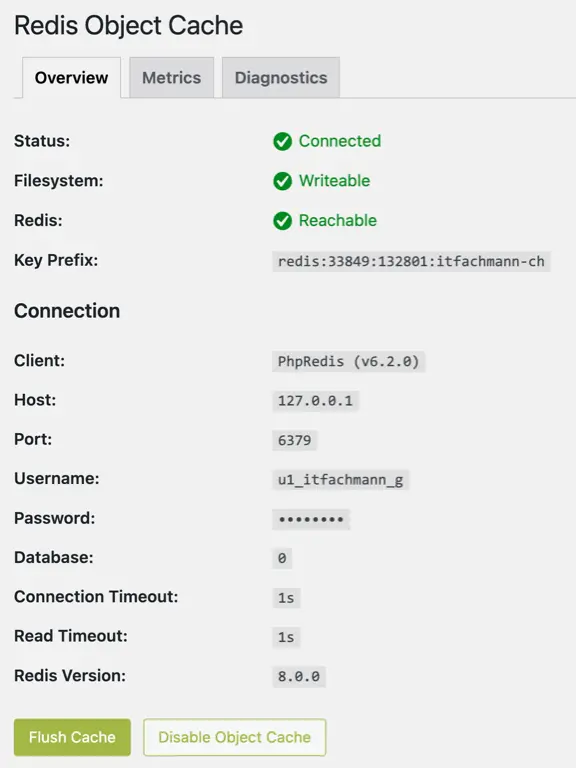
Redis caching is a powerful way to speed up WordPress, especially on VPS or cloud servers. But when paired with Cloudflare, timing matters. Proxying too early can break Redis authentication, block SSL issuance, and leave you chasing errors that aren’t really misconfigurations — they’re just order-of-operation problems.
Tip: If Redis breaks your site after enabling object caching, just delete in wp-content/object-cache.php to disable it and restore access.
I learned this the hard way — now you don’t have to.
I’d love to hear from you. Was this article helpful? Share your thoughts in the comments below. If you prefer, you can also reach me by email or connect with me on Reddit at Navigatetech.
Hi, I'm Edy Werder. I write hands-on guides about servers, virtualization, NAS and WordPress, based on setups I run in my own homelab. Real configs and real results, no fluff.
Enjoying the content?